
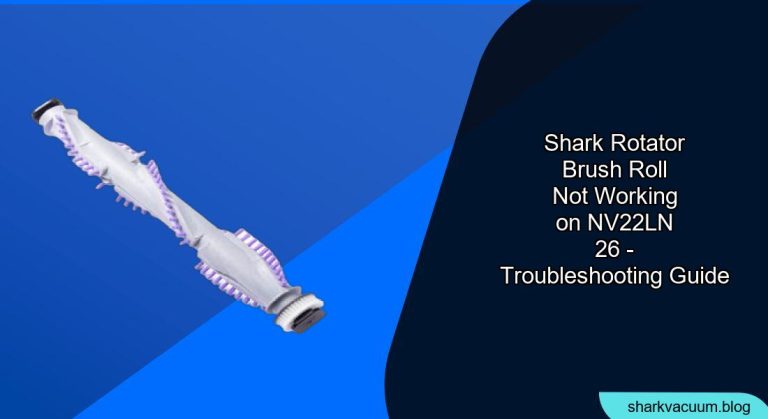
Is your Shark Rotator NV22L/N vacuum cleaner’s brush roll refusing to spin? A malfunctioning brush roll can significantly impact your vacuum’s cleaning performance, leaving dirt and debris behind. This guide provides a comprehensive, step-by-step approach to diagnosing and resolving brush roll issues on your Shark Rotator NV22L/N model, ensuring your vacuum returns to optimal working condition. We’ll cover common causes, troubleshooting techniques, and preventative measures to keep your brush roll spinning smoothly.
Common Causes of a Non-Working Brush Roll

Several factors, particularly those leading to a Shark Rotator NV500 Brush Roll Not Working, can cause your Shark Rotator’s brush roll to stop working. Understanding these common culprits is the first step in diagnosing the problem:
- Blockages: Hair, string, and other debris can become tangled around the brush roll, preventing it from spinning freely.
- Overheating: The vacuum motor may overheat if the brush roll is obstructed, causing it to shut down as a safety precaution.
- Full Dust Cup: A full dust cup can restrict airflow and affect the vacuum’s overall performance, including the brush roll.
- Dirty Filters: Clogged filters can also restrict airflow, leading to overheating and brush roll issues.
- Faulty Brush Roll Motor: In some cases, the brush roll motor itself may be defective and require replacement.
- Worn Belt: If your model has a belt-driven brush roll, the belt may be worn or broken.
- Sensor Malfunction: Some models have sensors that detect if the brush roll is properly installed or if there’s an obstruction. A faulty sensor can prevent the brush roll from spinning.
Step-by-Step Troubleshooting Guide
Follow these steps to diagnose and fix the brush roll on your Shark Rotator NV22L/N:
- Check the Power and Mode:
- Ensure the vacuum is properly plugged into a working outlet.
- Verify that the power switch is turned on.
- Confirm that you’ve selected the correct floor setting (carpet/rug or hard floor). The brush roll typically only operates in the carpet/rug mode.
- Empty the Dust Cup:
- Detach the dust cup from the vacuum body.
- Empty the contents into a trash bag.
- Reattach the dust cup securely.
- A full dust cup restricts airflow, which can impact brush roll performance.
- Clean the Filters:
- Locate the pre-motor filters (usually foam and felt) and the post-motor HEPA filter.
- Remove the filters.
- Wash the foam and felt filters with water and mild detergent. Rinse thoroughly and allow them to air dry for at least 24 hours before reinstalling.
- Tap the HEPA filter gently to remove loose dust. Do not wash the HEPA filter unless the manufacturer’s instructions specifically allow it.
- Reinstall all filters securely.
- Inspect and Clean the Brush Roll:
- Turn off and unplug the vacuum.
- Locate the brush roll access plate on the bottom of the vacuum head. Use a screwdriver to remove the screws securing the plate.
- Remove the brush roll.
- Carefully remove any hair, string, or debris wrapped around the brush roll. Scissors or a seam ripper can be helpful for cutting through tangled materials.
- Clean the brush roll housing and remove any accumulated dirt or debris.
- Reinstall the brush roll and secure the access plate.
- Check for Blockages in the Hose and Wand:
- Detach the hose and wand from the vacuum body.
- Inspect them for any blockages.
- Use a broom handle or similar tool to dislodge any obstructions.
- Reattach the hose and wand securely.
- Reset the Motor (If Applicable):
- Some Shark Rotator models have a thermal reset switch that trips when the motor overheats.
- Unplug the vacuum and allow it to cool down for at least 30 minutes.
- Locate the reset switch (refer to your owner’s manual for its location).
- Press the reset switch to reset the motor.
- Plug the vacuum back in and test the brush roll.
- Check the Brush Roll Motor:
- If the brush roll still isn’t working after completing the above steps, the brush roll motor might be faulty.
- Disassembling the vacuum to access the brush roll motor can be complex.
- Consider consulting a qualified appliance repair technician for assistance.
Troubleshooting Guide
| Problem | Possible Cause(s) | Solution(s) |
|---|---|---|
| Brush roll not spinning at all | Power issue, blockage, overheating, faulty motor | Check power, empty dust cup, clean filters, inspect brush roll, reset motor, consult technician |
| Brush roll spins weakly | Partial blockage, dirty filters, worn belt (if applicable) | Clean brush roll and housing, clean filters, replace belt (if applicable) |
| Brush roll stops after a few seconds | Overheating, sensor malfunction | Allow vacuum to cool, check sensor, consult technician |
| Brush roll makes unusual noises | Debris in brush roll, worn bearings | Clean brush roll, inspect bearings, consult technician |
| Brush roll won’t stay engaged in carpet mode | Faulty switch, sensor issue | Check switch, consult technician |
Pro Tips for Maintaining Your Shark Rotator Brush Roll

- Regular Cleaning: Clean the brush roll and filters regularly to prevent blockages and maintain optimal performance.
- Avoid Overloading: Don’t try to vacuum excessively large or heavy debris, as this can strain the motor and brush roll.
- Cord Management: Be careful not to run over the power cord with the vacuum, as this can damage it and create a safety hazard.
- Professional Servicing: Consider having your vacuum professionally serviced every year or two to ensure it remains in good working condition.
- Replace Worn Parts: Replace worn belts, filters, and brush rolls as needed to maintain optimal performance.
FAQ Section
Why is my Shark vacuum brush roll light red?
A red brush roll indicator light typically indicates that the brush roll is experiencing a problem, such as a blockage or overheating. Turn off and unplug the vacuum, then inspect the brush roll for obstructions and clean the filters. After addressing the issue, the light should turn off or return to normal.
How do I know if my Shark vacuum brush roll motor is bad?
If you’ve followed all the troubleshooting steps and the brush roll still isn’t working, the motor might be faulty. Other signs of a bad motor include unusual noises, burning smells, or the brush roll stopping abruptly. In such cases, it’s best to consult a qualified repair technician.
Can I use my Shark Rotator on hardwood floors if the brush roll is not working?
Yes, you can still use your Shark Rotator on hardwood floors even if the brush roll isn’t working. Simply switch to the hard floor setting, which disengages the brush roll and relies on suction to clean the floor.
How often should I replace the brush roll on my Shark Rotator?
The lifespan of your Shark Rotator’s brush roll depends on usage and maintenance. However, it’s generally recommended to replace the brush roll every 6-12 months, or sooner if you notice signs of wear or damage.
What type of brush roll does my Shark NV22L/N use?
The Shark Rotator NV22L/N uses a standard bristle brush roll designed for carpets and rugs. Always consult your owner’s manual for specific part numbers and replacement recommendations.
Where can I find replacement parts for my Shark Rotator NV22L/N?
You can find replacement parts for your Shark Rotator NV22L/N at most major appliance retailers, online marketplaces like Amazon and eBay, or directly from the SharkClean website.
Tips, Warnings, and Best Practices
- Safety First: Always unplug the vacuum before performing any maintenance or repairs.
- Read the Manual: Refer to your owner’s manual for specific instructions and safety precautions related to your Shark Rotator model.
- Avoid Water Damage: Never submerge the vacuum body or motor in water, as this can cause irreparable damage.
- Use Genuine Parts: When replacing parts, use genuine Shark replacement parts to ensure compatibility and optimal performance.
- Regular Maintenance: Consistent cleaning and maintenance are key to prolonging the life of your Shark Rotator and preventing brush roll issues.
Conclusion
A non-working brush roll on your Shark Rotator NV22L/N can be frustrating, but with a systematic approach, you can often diagnose and resolve the problem yourself. By following this troubleshooting guide, cleaning the brush roll and filters regularly, and taking preventative measures, you can keep your vacuum running smoothly and maintain a clean home. If you’re unable to resolve the issue, don’t hesitate to seek assistance from a qualified appliance repair technician.





