
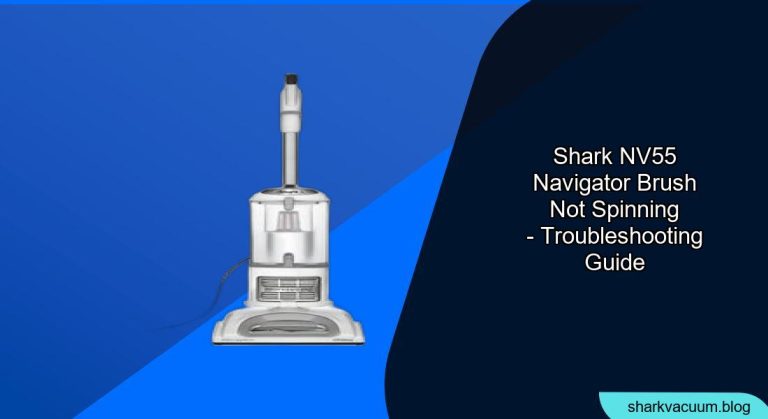
Is your Shark NV55 Navigator vacuum cleaner’s brush roll refusing to spin? This can be a frustrating problem, rendering your vacuum nearly useless on carpets and rugs. Fortunately, it’s often a simple fix! This guide will walk you through the most common causes and how to get your Shark Navigator NV55 spinning again, ensuring your floors get the deep clean they deserve.
A non-spinning brush roll significantly reduces your vacuum’s effectiveness, especially on carpets. A working brush roll agitates carpet fibers, loosening dirt and debris for thorough suction. Without it, you’re essentially just surface cleaning. This article provides a step-by-step approach to diagnosing and resolving the issue, saving you time and money on potential repairs or replacements. We’ll cover everything from basic checks to more in-depth troubleshooting, so you can confidently tackle the problem.
Understanding Why Your Shark Navigator Brush Isn’t Spinning
Several factors can cause your Shark Navigator NV55’s brush roll to stop spinning. The most common include blockages, a tangled brush roll, a faulty belt, or a problem with the motor. Let’s explore each of these in more detail.
Blockages in the Hose or Nozzle
One of the most frequent culprits is a blockage in the vacuum’s hose, wand, or nozzle. These blockages restrict airflow, which can prevent the brush roll from spinning properly.
- Check the hose: Detach the hose from the vacuum and inspect it for any visible obstructions. Use a broom handle or similar tool to dislodge any debris.
- Inspect the wand: Remove the wand and check for blockages.
- Examine the nozzle: Clear any visible debris from the nozzle opening.
Tangled Brush Roll
Hair, threads, and other debris can easily become wrapped around the brush roll, hindering its ability to spin freely.
- Unplug the vacuum: Always disconnect the vacuum from the power outlet before performing any maintenance.
- Remove the brush roll: Refer to your owner’s manual for specific instructions on how to remove the brush roll. Typically, this involves releasing a few clips or screws.
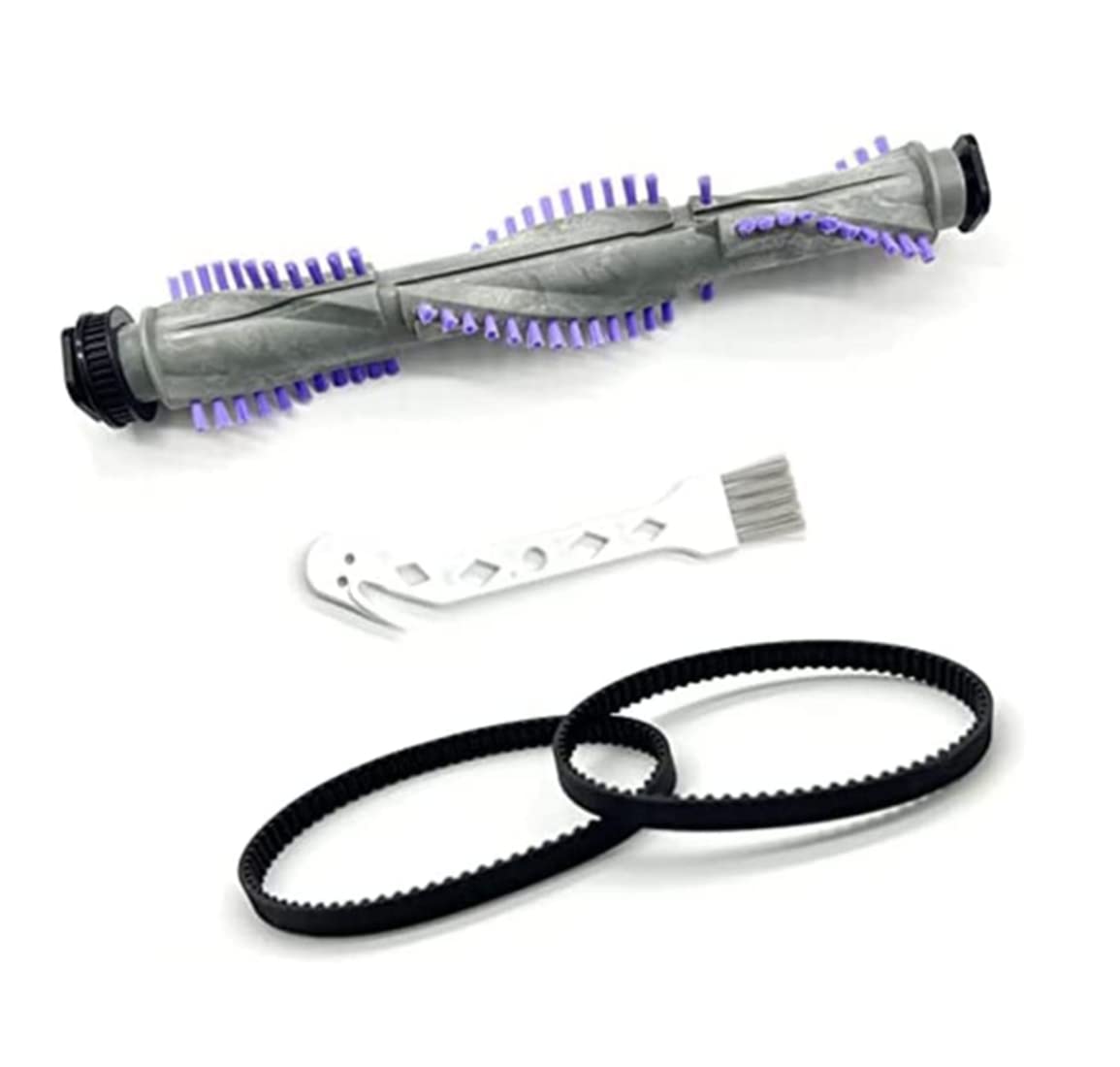
- Clean the brush roll: Use scissors or a seam ripper to carefully cut away any tangled hair, threads, or fibers.
- Reinstall the brush roll: Once the brush roll is clean, reinstall it back into the vacuum, ensuring it’s securely in place.
Faulty Brush Roll Belt
The brush roll belt connects the motor to the brush roll, transferring power and causing it to spin. If the belt is broken, stretched, or worn, the brush roll won’t turn.
- Access the brush roll belt: This usually involves removing the brush roll and a cover plate. Consult your owner’s manual for specific instructions.
- Inspect the belt: Check the belt for any signs of damage, such as cracks, tears, or excessive stretching.
- Replace the belt: If the belt is damaged, replace it with a new one that is specifically designed for your Shark Navigator NV55 model. You can find replacement belts online or at appliance repair stores.
- Reassemble the vacuum: Once the new belt is installed, reassemble the vacuum, ensuring all parts are securely in place.
Motor Problems
In rare cases, the issue might stem from a problem with the vacuum’s motor. This is usually indicated by a lack of power or unusual noises coming from the vacuum.
- Check the power cord: Ensure the power cord is securely plugged into an outlet and that there are no visible signs of damage to the cord itself.
- Test the outlet: Plug another appliance into the same outlet to verify that the outlet is working correctly.
- Contact Shark customer service: If you suspect a motor problem, it’s best to contact Shark customer service or a qualified appliance repair technician for assistance. Motor repairs can be complex and may require specialized tools and knowledge.
Practical Elements
Tools/Materials
- Screwdriver (Phillips head or flathead, depending on your model)
- Scissors or seam ripper
- New brush roll belt (if needed)
- Broom handle or similar tool for clearing blockages
Preparation Steps
- Unplug your Shark Navigator NV55 from the power outlet.
- Gather the necessary tools and materials.
- Clear a workspace to disassemble and inspect the vacuum.
- Consult your owner’s manual for specific disassembly instructions for your model.
Troubleshooting Guide
| Problem | Possible Cause | Solution |
|---|---|---|
| Brush roll not spinning | Blockage in hose/nozzle | Detach hose and nozzle, inspect for obstructions, and clear with a broom handle or similar tool. |
| Brush roll not spinning | Tangled brush roll | Remove the brush roll, carefully cut away any tangled hair or debris, and reinstall. |
| Brush roll not spinning | Faulty brush roll belt | Inspect the belt for damage. If damaged, replace it with a new belt designed for your Shark Navigator NV55. |
| Vacuum has no power | Power cord issue | Ensure the power cord is securely plugged in and undamaged. Test the outlet with another appliance. |
| Vacuum makes unusual noise | Potential motor problem | Contact Shark customer service or a qualified appliance repair technician for assistance. |
Pro Tips
- Regularly clean your brush roll to prevent tangles and maintain optimal performance.
- Avoid vacuuming over cords or small objects that could become lodged in the hose or brush roll.
- Replace the brush roll belt every 6-12 months, or as needed, to ensure consistent performance.
Alternatives/Variations
- If you’re unable to resolve the issue yourself, consider taking your vacuum to a qualified appliance repair technician.
- As a preventative measure, consider using a vacuum with a self-cleaning brush roll to minimize tangles.
FAQ Section
Why is my Shark vacuum brush roll not spinning even after cleaning it?
Even after cleaning, the brush roll might not spin if the belt is stretched or broken, preventing the motor’s power from reaching the brush roll. Also, check for any hidden debris or blockages that you might have missed during the initial cleaning. Inspect the brush roll housing for any obstructions.
How often should I replace the brush roll belt on my Shark Navigator NV55?
It’s generally recommended to replace the brush roll belt every 6-12 months, depending on usage. If you notice a decrease in brush roll performance or visible damage to the belt, replace it immediately. Regular replacement ensures optimal cleaning performance.
Can I use a generic brush roll belt for my Shark Navigator NV55?
While generic belts might seem like a cost-effective option, it’s best to use a brush roll belt specifically designed for your Shark Navigator NV55. This ensures proper fit and performance. Using a generic belt could potentially damage your vacuum or reduce its effectiveness.
What does it mean when the brush roll indicator light is red on my Shark vacuum?
A red brush roll indicator light typically indicates that the brush roll is experiencing a problem, such as a blockage, tangle, or motor issue. It could also signal that the brush roll needs to be reset. Refer to your owner’s manual for specific instructions on how to reset the brush roll.
Is it possible to vacuum without the brush roll spinning?
Yes, you can still use your Shark Navigator NV55 to vacuum without the brush roll spinning, particularly on hard floors. However, you won’t get the same deep cleaning on carpets and rugs. The brush roll is essential for agitating carpet fibers and lifting embedded dirt and debris.
Tips, Warnings, and Best Practices
- Always unplug your vacuum before performing any maintenance or repairs.
- Avoid using excessive force when removing or reinstalling the brush roll or other components.
- Regularly empty the dust cup and clean the filters to maintain optimal suction and performance.
- If you’re unsure about any step in the troubleshooting process, consult your owner’s manual or contact Shark customer service.
- Be cautious when using scissors or a seam ripper to remove tangled hair from the brush roll.
Conclusion
A non-spinning brush roll on your Shark Navigator NV55 can be a major inconvenience, but it’s often a problem you can resolve yourself. By following these troubleshooting steps, you can identify the cause of the issue and get your vacuum back to peak performance. Remember to regularly maintain your vacuum to prevent future problems and ensure your floors stay clean and fresh. If all else fails, don’t hesitate to contact Shark customer support for further assistance.





