
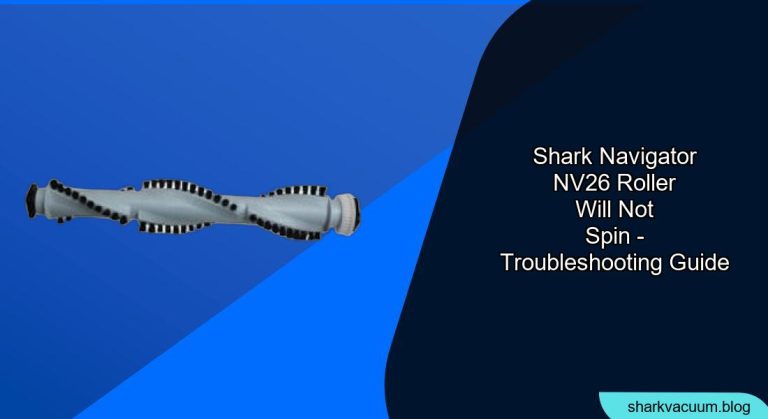
Having trouble with your Shark Navigator NV26’s roller brush not spinning? It’s a common issue that can hinder your vacuum’s cleaning performance. This guide will walk you through the steps to diagnose and fix the problem, so you can get back to effortlessly cleaning your floors.
The Shark Navigator NV26 is a popular vacuum cleaner known for its powerful suction and maneuverability. However, a non-spinning roller brush can significantly reduce its effectiveness, especially on carpets and rugs. This guide will help you identify the cause and provide practical solutions to get your Shark Navigator NV26 working like new again.
We’ll explore common culprits such as blockages, belt issues, and motor problems, offering step-by-step instructions to resolve each. From simple fixes like clearing debris to more involved solutions, we’ll cover everything you need to know to troubleshoot your vacuum. Let’s get started and restore your Shark Navigator NV26 to its full cleaning potential!
Identifying the Cause of a Non-Spinning Roller

Before diving into solutions, it’s crucial to pinpoint why your Shark Navigator NV26’s roller isn’t spinning. Common causes include:
- Blockages: Hair, string, and debris can get tangled around the brush roll, preventing it from spinning freely.
- Belt Issues: The belt that connects the motor to the brush roll might be broken, stretched, or dislodged.
- Motor Problems: In rare cases, the motor that drives the brush roll may be malfunctioning.
Step-by-Step Troubleshooting
Follow these steps to diagnose and fix the issue:
- Unplug the Vacuum: Always unplug your Shark Navigator NV26 before performing any maintenance or troubleshooting to avoid electric shock.
- Check for Visible Blockages:
- Inspect the Brush Roll: Remove the brush roll cover (usually held in place by screws or clips) and carefully examine the brush roll for tangled hair, string, or debris.
- Clear the Blockages: Use scissors or a seam ripper to cut away any tangled materials. Be gentle to avoid damaging the brush roll bristles.
- Inspect the Hose and Nozzle:
- Detach the Hose: Disconnect the hose from the vacuum body and the nozzle.
- Check for Obstructions: Look through the hose and nozzle for any blockages. Use a long object like a broom handle to dislodge any debris.
- Examine the Belt:
- Access the Belt: Locate the belt cover (usually on the side of the nozzle) and remove it.
- Inspect the Belt Condition: Check if the belt is broken, stretched, or dislodged. A broken or stretched belt will need replacement.
- Re-align the Belt: If the belt is dislodged, carefully re-align it around the motor shaft and the brush roll.
- Reset the Motor (If Applicable):
- Locate the Reset Button: Some Shark Navigator models have a reset button for the brush roll motor. Check your user manual for the location.
- Press the Reset Button: If you find a reset button, press it and wait a few minutes before testing the vacuum again.
Replacing the Belt
If the belt is broken or stretched, you’ll need to replace it:
- Purchase a Replacement Belt: Order a new belt specifically designed for the Shark Navigator NV26. You can find these online or at appliance repair stores.
- Install the New Belt:
- Remove the Old Belt: Take off the old, damaged belt.
- Place the New Belt: Position the new belt around the motor shaft and the brush roll. Ensure it sits snugly in the designated grooves.
- Reassemble the Nozzle: Put the belt cover back on and secure it.
When to Seek Professional Help

If you’ve tried all the troubleshooting steps and the roller still won’t spin, the motor might be the problem. Motor repairs can be complex and may require professional assistance. Contact Shark customer support or a qualified appliance repair technician for help.
Tools/Materials
- Screwdriver (Phillips head or flathead, depending on your model)
- Scissors or seam ripper
- Replacement belt (if needed)
- Long object for dislodging debris (e.g., broom handle)
Preparation Steps
- Read the User Manual: Familiarize yourself with your Shark Navigator NV26’s specific components and disassembly instructions.
- Gather Your Tools: Ensure you have all the necessary tools and materials before starting.
- Clear Your Workspace: Work in a well-lit area with enough space to disassemble and inspect the vacuum.
Troubleshooting Guide
| Problem | Possible Cause | Solution |
|---|---|---|
| Roller doesn’t spin at all | Blockage in brush roll | Remove brush roll cover, clear tangled hair and debris |
| Roller spins weakly | Stretched or loose belt | Replace belt if stretched; re-align if loose |
| Roller makes loud noises | Debris caught in the roller | Disassemble and thoroughly clean the brush roll and surrounding area |
| Vacuum loses suction | Blockage in hose or nozzle | Detach hose and nozzle, clear any obstructions |
| Roller spins, but poorly cleans | Worn or damaged brush bristles | Replace the brush roll assembly |
Pro Tips
- Regular Maintenance: Clean the brush roll regularly (every 1-3 months, depending on usage) to prevent buildup and maintain optimal performance.
- Belt Inspection: Check the belt’s condition every 6 months and replace it if you notice signs of wear or stretching.
- Avoid Vacuuming Small Objects: Prevent small objects like coins or toys from being sucked into the vacuum, as they can damage the brush roll or motor.
Alternatives/Variations
- Using Compressed Air: For hard-to-reach blockages, compressed air can help dislodge debris from the hose and nozzle.
- Soaking the Brush Roll: If the brush roll is heavily soiled, soak it in warm, soapy water for a few minutes before cleaning.
FAQ Section
Why is my Shark vacuum roller not spinning even after cleaning it?
Even after cleaning, the roller might not spin due to a stretched or broken belt. Inspect the belt and replace it if necessary. Also, check for any hidden debris or obstructions in the brush roll housing that you might have missed during the initial cleaning.
How often should I replace the brush roll belt on my Shark Navigator NV26?
It’s generally recommended to replace the brush roll belt every 6-12 months, depending on usage. If you notice the roller spinning weakly or hear unusual noises, it’s a good indication that the belt needs replacement. Regular maintenance can extend its lifespan.
Can a full dust cup cause the roller to stop spinning on my Shark vacuum?
Yes, a full dust cup can reduce suction, which can indirectly affect the roller’s performance. Empty the dust cup regularly to maintain optimal suction power and ensure the roller spins efficiently.
What type of belt does my Shark Navigator NV26 use, and where can I buy a replacement?
The Shark Navigator NV26 typically uses a rubber belt. You can find replacement belts online at retailers like Amazon, eBay, or directly from the Shark official website. Ensure you purchase a belt specifically designed for the NV26 model for the best fit and performance.
Is it possible to manually spin the roller to check if it’s jammed?
Yes, after unplugging the vacuum and removing the brush roll cover, try manually spinning the roller. If it feels stiff or doesn’t spin freely, there’s likely a blockage or mechanical issue. Investigate further to identify and resolve the problem.
What should I do if the roller spins for a few seconds and then stops?
If the roller spins briefly and then stops, it could be due to overheating or a faulty motor. Check if the vacuum is overheating and allow it to cool down. If the problem persists, the motor may need professional inspection or replacement.
Tips, Warnings, and Best Practices
- Safety First: Always unplug the vacuum before performing any maintenance to prevent electric shock.
- Gentle Cleaning: When removing tangled debris, be gentle to avoid damaging the brush roll bristles.
- Proper Belt Alignment: Ensure the belt is correctly aligned around the motor shaft and brush roll to prevent slippage or breakage.
- Regular Maintenance: Consistent cleaning and maintenance are crucial for prolonging the life of your vacuum and maintaining its performance.
- Avoid Overloading: Do not attempt to vacuum excessively large or heavy debris, as this can strain the motor and belt.
Conclusion
A non-spinning roller on your Shark Navigator NV26 can be a frustrating issue, but with the right troubleshooting steps, you can often resolve it yourself. By checking for blockages, inspecting the belt, and following our guide, you can restore your vacuum’s cleaning power.
Take action today! Start by unplugging your vacuum and inspecting the brush roll for any visible obstructions. Regular maintenance and timely repairs will keep your Shark Navigator NV26 running smoothly, ensuring your floors stay clean and fresh.





