
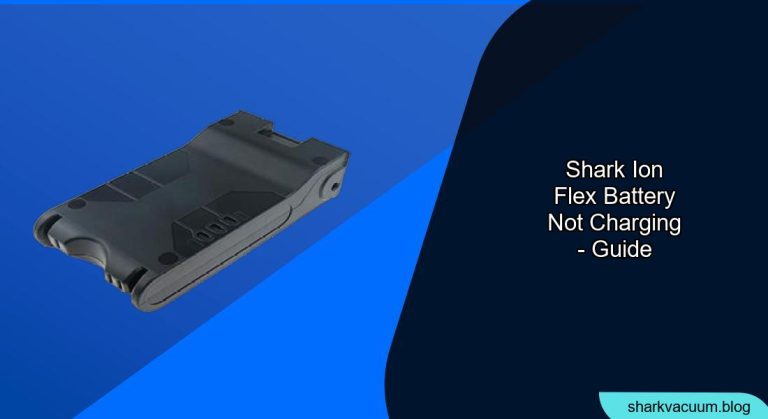
Experiencing trouble with your Shark ION Flex vacuum battery not charging? It’s a common frustration, but often easily resolved with a few troubleshooting steps. This guide will walk you through the most likely causes and provide practical solutions to get your vacuum back up and running. We’ll cover everything from checking the connections to understanding battery health.
Let’s dive in and diagnose why your Shark ION Flex battery might be refusing to charge and how to fix it.
Understanding the Shark ION Flex Charging System

Before we troubleshoot, let’s understand how the Shark ION Flex charging system works. The vacuum typically comes with a removable, rechargeable lithium-ion battery. This battery can be charged either while inside the vacuum or separately on a charging dock. Proper contact between the battery and the charger is crucial for successful charging. Any interruption in this connection can lead to charging issues.
Common Reasons Why Your Shark ION Flex Battery Isn’t Charging
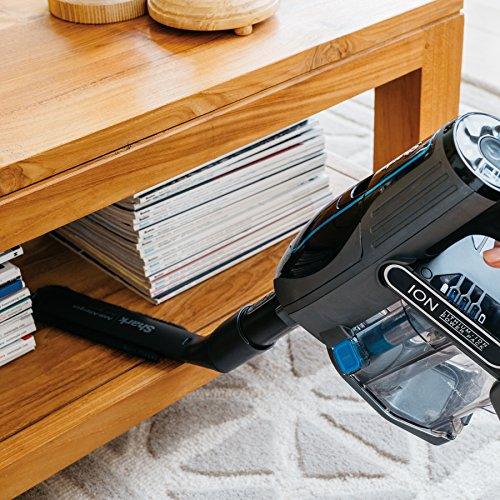
Several factors can prevent your Shark ION Flex battery from charging. Identifying the root cause is the first step toward finding a solution. Here are some common culprits:
- Incorrectly Seated Battery: The battery might not be properly connected to the charging dock or the vacuum itself.
- Dirty Charging Contacts: Dust, debris, or corrosion can interfere with the electrical connection.
- Faulty Charger or Dock: The charger or dock itself could be defective.
- Damaged Battery: The battery may be damaged or at the end of its lifespan.
- Extreme Temperatures: Charging in very hot or cold environments can affect battery performance.
Troubleshooting Steps to Fix a Non-Charging Shark ION Flex Battery
Follow these steps in order to diagnose and resolve the issue.
1. Check the Battery Connection
- Ensure Proper Seating: Remove the battery and re-seat it firmly in the charging dock or vacuum. Listen for a click or feel it lock into place.
- Inspect the Contacts: Look for any visible debris or corrosion on the battery and charger contacts.
2. Clean the Charging Contacts
- Gather Supplies: You’ll need a clean, dry cloth, cotton swabs, and isopropyl alcohol.
- Clean Gently: Dampen the cotton swab with isopropyl alcohol and gently clean the metal contacts on both the battery and the charging dock.
- Dry Thoroughly: Allow the contacts to air dry completely before reassembling.
3. Test the Charger and Dock
- Try a Different Outlet: Plug the charger into a different electrical outlet to rule out a faulty outlet.
- Check the Charger Cord: Inspect the charger cord for any damage, such as fraying or cuts.
- Use a Multimeter (Advanced): If you have a multimeter, you can test the charger’s output voltage to see if it’s within the specified range. Consult your vacuum’s manual for the correct voltage. If you are unfamiliar or uncomfortable using a multimeter, seek assistance from a qualified professional.
4. Assess Battery Health
- Check for Swelling or Damage: Look for any signs of physical damage to the battery, such as swelling, cracks, or leaks. A damaged battery should be replaced immediately.
- Consider Battery Age: Lithium-ion batteries have a limited lifespan. If your battery is several years old, it may no longer hold a charge effectively and need replacement.
5. Avoid Extreme Temperatures
- Optimal Charging Environment: Charge the battery in a room with a moderate temperature. Avoid charging in direct sunlight, near heat sources, or in very cold environments.
6. Reset the Vacuum (If Applicable)
- Check Your Model: Some Shark ION Flex models have a reset button. Consult your owner’s manual to see if your model has this feature and how to use it.
Practical Elements for Shark ION Flex Battery Charging
Tools/Materials
- Clean, dry cloth
- Cotton swabs
- Isopropyl alcohol
- Multimeter (optional, for advanced testing)
Preparation Steps
- Unplug the Charger: Always unplug the charger from the electrical outlet before cleaning or inspecting it.
- Turn Off the Vacuum: Ensure the vacuum is turned off before removing or re-seating the battery.
Troubleshooting Guide
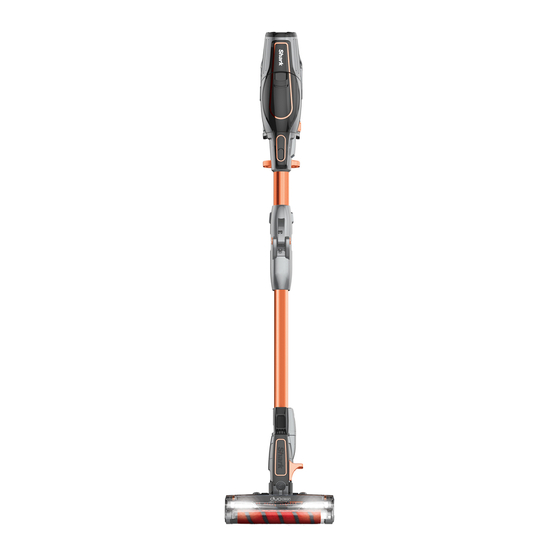
| Problem | Possible Cause(s) | Solution(s) |
|---|---|---|
| No charging light appears | Faulty outlet, damaged charger, incorrect seating | Try a different outlet, inspect charger cord, re-seat battery |
| Charging light blinks erratically | Dirty contacts, battery issue | Clean contacts, assess battery health |
| Battery charges very slowly | Dirty contacts, old battery, extreme temperatures | Clean contacts, consider replacing battery, charge in moderate temperatures |
| Vacuum runs for a very short time after charging | Old battery, incorrect charging | Consider replacing battery, ensure battery is fully charged before use |
| Battery won’t charge at all | Faulty charger/dock, damaged battery | Test charger, assess battery health. Replace the charger or battery if needed. |
Pro Tips
- Regular Cleaning: Clean the charging contacts regularly to prevent build-up.
- Proper Storage: Store the battery in a cool, dry place when not in use.
- Avoid Overcharging: Although most modern chargers have overcharge protection, it’s best to avoid leaving the battery on the charger for extended periods after it’s fully charged.
Alternatives/Variations
- Using a Second Battery: If you have a second battery, you can use it while the other one is charging, ensuring continuous cleaning.
- Contacting Shark Support: If you’ve tried all the troubleshooting steps and your battery still isn’t charging, contact Shark customer support for further assistance.
FAQ Section
### What does it mean when the Shark ION Flex charging light is blinking?
A blinking charging light usually indicates a problem with the charging process. This could be due to dirty contacts, a faulty charger, or a battery issue. Try cleaning the contacts and testing the charger. If the problem persists, the battery may need to be replaced.
### How long should I charge my Shark ION Flex battery for the first time?
It’s generally recommended to charge the battery fully before using the vacuum for the first time. Refer to your owner’s manual for specific charging time recommendations, but typically, a full charge takes around 3-4 hours.
### Can I leave my Shark ION Flex battery on the charger all the time?
While modern chargers have overcharge protection, it’s generally not recommended to leave the battery on the charger indefinitely after it’s fully charged. This can potentially shorten the battery’s lifespan over time.
### How do I know if my Shark ION Flex battery needs to be replaced?
Signs that your battery needs to be replaced include a significantly reduced runtime, difficulty charging, swelling or damage to the battery, or if the battery is several years old.
### Where can I buy a replacement battery for my Shark ION Flex vacuum?
You can purchase replacement batteries from the Shark website, authorized retailers, or online marketplaces like Amazon. Make sure to buy the correct battery model for your specific Shark ION Flex vacuum.
### What is the lifespan of a Shark ION Flex battery?
The lifespan of a Shark ION Flex battery typically ranges from 1 to 3 years, depending on usage and maintenance. Proper care, such as avoiding extreme temperatures and regular cleaning of the contacts, can help extend the battery’s lifespan.
Tips, Warnings, and Best Practices
- Safety First: Always unplug the charger before cleaning or inspecting it.
- Avoid Water: Never immerse the battery or charger in water or other liquids.
- Proper Disposal: Dispose of old batteries properly according to local regulations. Do not throw them in the trash.
- Regular Maintenance: Clean the charging contacts regularly to ensure a good connection.
- Read the Manual: Always refer to your Shark ION Flex owner’s manual for specific instructions and safety information.
Conclusion
A Shark ION Flex battery that won’t charge can be frustrating, but by systematically troubleshooting the common causes, you can often resolve the issue yourself. Remember to check the connections, clean the contacts, test the charger, and assess the battery’s health. If all else fails, consider replacing the battery or contacting Shark customer support. By following these steps, you can keep your Shark ION Flex vacuum running smoothly and efficiently.





