
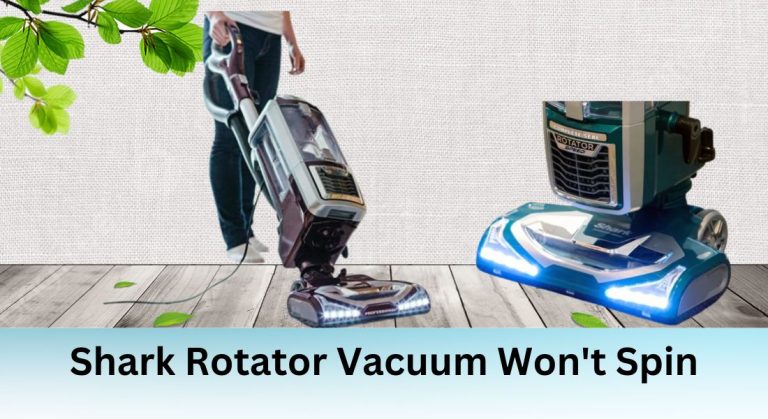
The Shark Rotator vacuum is a popular choice for its powerful cleaning capabilities, but like any appliance, it can encounter issues. One common problem users face is the vacuum’s brush roll not spinning. This issue can significantly reduce cleaning efficiency, leaving dirt and debris behind. Understanding the root cause and knowing how to troubleshoot it can save you time, money, and frustration.
Identifying the Cause of the Problem

Before attempting any repairs, it’s essential to diagnose the issue accurately. The brush roll not spinning can result from several factors, including blockages, worn-out brushes, motor or belt malfunctions, or electrical system faults. By systematically checking each component, you can pinpoint the exact cause and take the appropriate steps to fix it.
Common Causes of the Problem
Blockages
Blockages in the brush roll or intake are a frequent culprit. Hair, dirt, and debris can accumulate over time, preventing the brush from spinning. These obstructions not only hinder performance but can also strain the motor or belt, leading to further damage.
Worn-out or Damaged Brushes
Brushes undergo significant wear and tear with regular use. Over time, they may become damaged or worn out, causing the brush roll to stop spinning. Signs of worn-out brushes include reduced suction power and poor cleaning performance.
Motor or Belt Issues
The motor and belt are critical components that drive the brush roll. If the motor malfunctions or the belt is worn or broken, the brush won’t spin. Unusual noises or vibrations during operation can indicate motor or belt problems.
Faulty Connections or Electrical System
Faulty electrical connections or issues with the vacuum’s electrical system can also prevent the brush from spinning. Loose wires, damaged switches, or a malfunctioning micro switch are common examples of electrical faults.
Troubleshooting and Repair
Step 1: Check for Blockages
Start by inspecting the brush roll and intake for any blockages. Remove the brush roll and clear out hair, dirt, or debris. Ensure the hose, wand, and other parts are also free from obstructions. Regular cleaning can prevent future blockages and maintain optimal performance.
Step 2: Inspect the Brushes
Examine the brushes for signs of wear or damage. If they appear worn out, replace them with new ones. Replacing brushes is relatively straightforward—remove the old brush roll and install the new one according to the manufacturer’s instructions.
Step 3: Check the Motor and Belt
Assess the motor and belt for any issues. If the belt is broken or worn, replace it with a compatible one. If the motor is faulty, you may need to replace it. Follow the user manual or online tutorials for guidance on removing and installing these components.
Step 4: Consult the User Manual or Contact Support
If the issue persists, refer to the user manual for additional troubleshooting steps. If you’re unable to resolve the problem, contact Shark’s customer support for assistance. They can provide expert guidance or recommend repair services.
Preventing Future Issues

Regular maintenance is key to preventing the brush roll from failing. Clean the brush roll and intake regularly to avoid blockages. Check the belt and brushes periodically for wear and replace them as needed. Proper storage and handling can also extend the life of your vacuum, ensuring it continues to perform effectively for years to come.





