
Let’s face it—robot vacuums are like the unsung heroes of our homes. They quietly glide around, picking up crumbs, pet hair, and dust, all while we sip coffee or binge our favorite shows. But what happens when your trusty Shark robot vacuum suddenly refuses to turn on?
It’s like your cleaning buddy has gone on strike. Don’t worry—we’ve got your back. Here’s a step-by-step guide to troubleshoot and revive your Shark robot vacuum, so it can get back to doing what it does best: keeping your floors spotless.
Why Won’t My Shark Robot Vacuum Turn On?

Before diving into fixes, let’s understand what might be going wrong. Your Shark robot vacuum might not turn on for several reasons:
- Battery issues: A dead or improperly connected battery is a common culprit.
- Charging problems: If it’s not charging properly, it won’t have the juice to start.
- Switch or connection glitches: Sometimes, it’s as simple as a loose connection or an off switch.
- Dust catcher misalignment: Yes, even a slightly misaligned dust bin can cause issues.
Now, let’s roll up our sleeves and get to work.
Step 1: Check the Battery Status

First things first—let’s see if the battery is the issue. Open the SharkClean app and check the battery status. If it shows a red “100% charged” indicator, this could be a red flag. A fully charged vacuum should display a blue light, not red. This discrepancy might hint at a deeper issue.
Step 2: Reset the Battery Connector

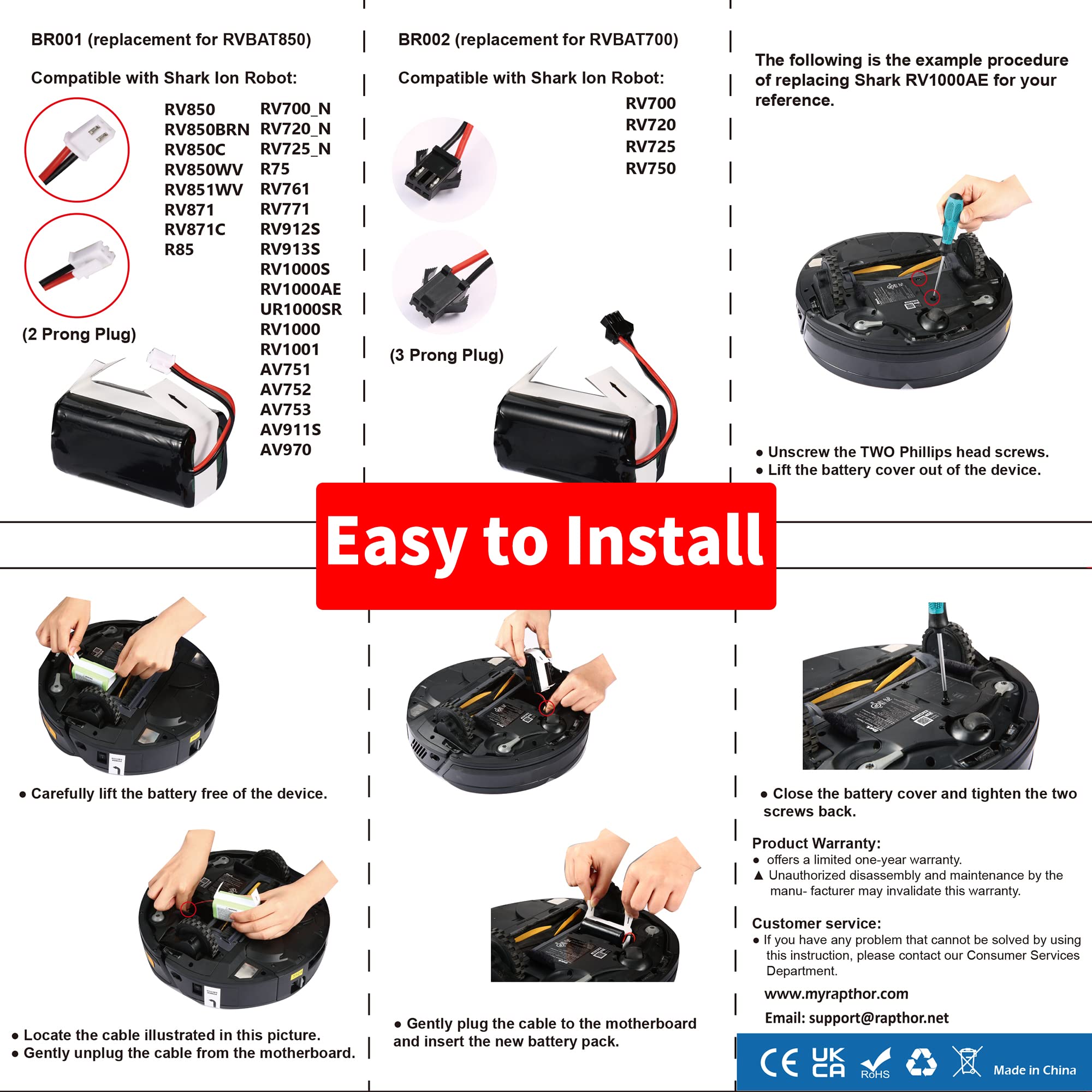
If the battery seems fine but the vacuum still won’t turn on, it’s time to reset the battery connector. Here’s how:
- Locate the battery: Flip the vacuum over and find the battery compartment.
- Remove the screw: Unscrew the battery cover to access the battery.
- Unclip the battery: Gently unclip the battery from its housing.
- Reclip it: Firmly press the battery back into place.
- Reattach the screw: Secure the battery cover with the screw. If your vacuum still won’t turn on after resetting the connector, the battery itself may be the problem and need to be replaced. You can find replacement vacuum batteries on Amazon.
This process ensures the battery is properly connected, which can often resolve power issues.
Step 3: Inspect the On/Off Switch

Sometimes, the solution is embarrassingly simple. Locate the physical on/off switch on the side of your Shark robot vacuum. Make sure it’s in the “on” position. If it’s already on, try toggling it off and on again. You’d be surprised how often this works!
Step 4: Check the Dust Catcher
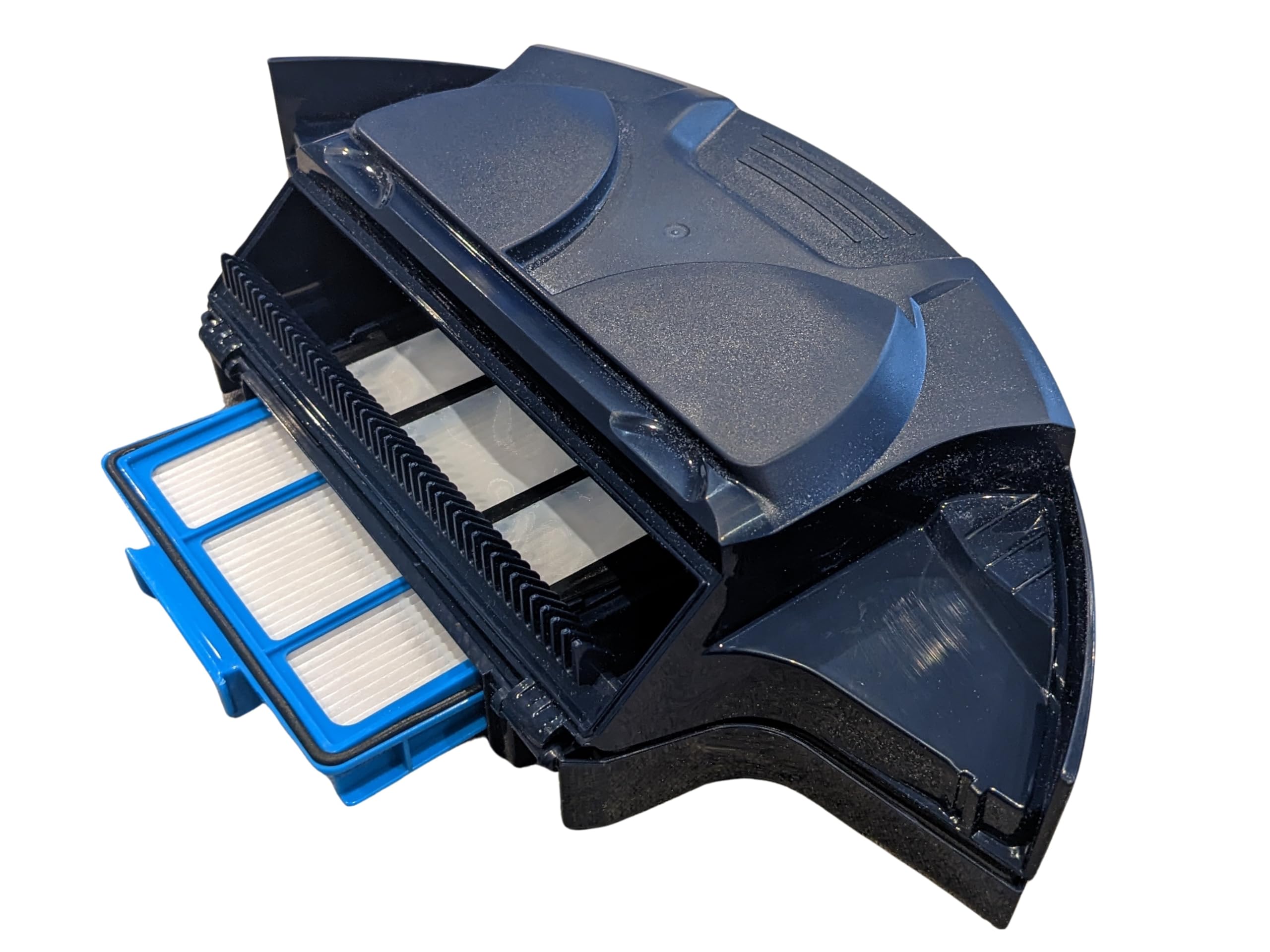
An improperly installed dust catcher can prevent your vacuum from turning on or charging. Remove the dust bin, empty it, and reinsert it carefully. Ensure it clicks into place securely.
Charging Problems? Let’s Fix That
If your Shark robot vacuum stops charging, even when docked, here’s what to do:
- Check the power source: Ensure the charging dock is plugged in and receiving power.
- Clean the charging contacts: Over time, dust and debris can accumulate on the charging contacts. Use a soft, dry cloth to clean both the robot’s contacts and the dock’s contacts.
- Verify the dust bin: Again, a misaligned dust bin can interfere with charging. Make sure it’s properly installed.
If your vacuum is over two years old and experiencing charging issues, it might be time to replace the battery. Shark robot vacuum batteries typically last around two years before their performance starts to decline.
Dealing with Connectivity Issues
Is your Shark robot vacuum losing its Wi-Fi connection? Here’s how to get it back online:
- Reboot your device: Restart the smartphone or tablet you use to control the vacuum.
- Restart your Wi-Fi router: Sometimes, the router just needs a quick reset.
- Reboot the vacuum: Turn the vacuum off and on again to refresh its connection.
If these steps don’t work, consult Shark’s connectivity troubleshooting video or reach out to their customer support team.
Keep Your Shark Robot Vacuum Happy
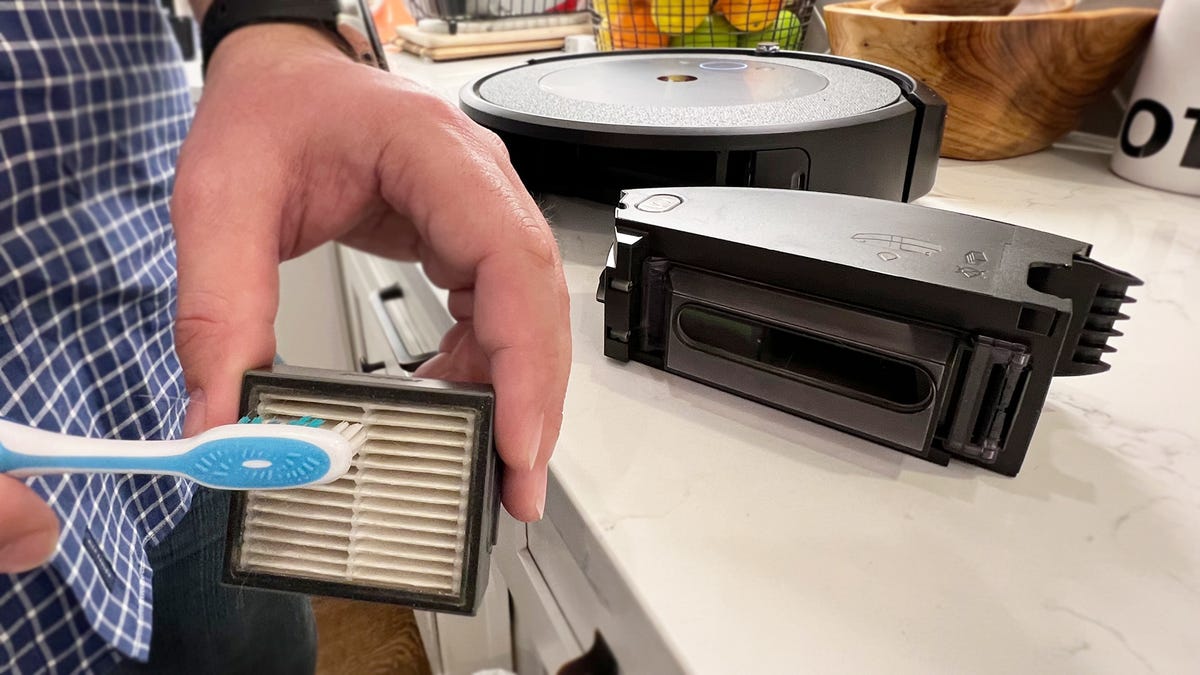
Regular maintenance is key to keeping your Shark robot vacuum in top shape. Here are some quick tips:
- Clean the brushes: Remove tangled hair and debris after each use.
- Empty the dust bin: Don’t let it get too full—it can reduce suction power.
- Wipe the sensors: Keep the navigation sensors clean for accurate mapping.
- Check the wheels: Make sure they’re free of obstructions.
- Update the app: Ensure the SharkClean app is up to date for the latest features and bug fixes.
Final Thoughts
Your Shark robot vacuum is a powerhouse of convenience, but even the best gadgets can have off days. Most power and charging issues can be resolved with a little troubleshooting, so don’t panic if it suddenly stops working. By following these steps, you’ll likely have your vacuum up and running in no time.
And if all else fails? Shark’s customer support team is just a call or click away. With a little patience and know-how, you’ll have your cleaning companion back in action, leaving your floors spotless and your life a little easier. Happy cleaning!





