
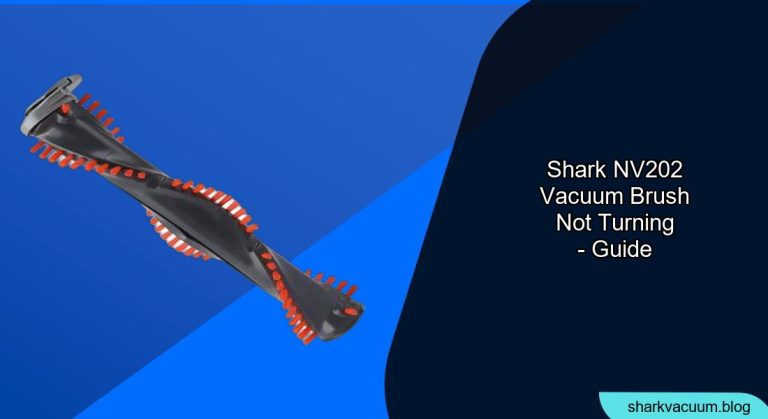
Is your Shark NV202 vacuum cleaner’s brush roll refusing to spin? This can be frustrating when you’re trying to keep your floors clean. A non-rotating brush roll significantly reduces the vacuum’s ability to pick up dirt, debris, and pet hair, leaving you with subpar cleaning results. The good news is that many of the issues causing this problem are easy to diagnose and fix yourself, saving you time and money on repairs.
This article will guide you through the common causes of a Shark NV202 vacuum brush not turning and provide step-by-step solutions to get your vacuum back in optimal working condition. We’ll cover everything from simple fixes like clearing blockages to more complex issues such as motor problems.
Understanding Why Your Shark NV202 Brush Isn’t Turning

Several factors can cause your Shark NV202 vacuum’s brush roll to stop spinning. Before diving into solutions, it’s essential to understand the potential culprits. These typically include:
- Blockages: Hair, string, and other debris can get tangled around the brush roll, preventing it from turning.
- Full Dust Cup: A full dust cup can restrict airflow and affect the vacuum’s overall performance, including brush roll function.
- Dirty Filters: Clogged filters can reduce suction power, which can impact the brush roll’s ability to spin.
- Belt Issues: The brush roll is driven by a belt that can stretch, break, or slip off its track, causing the brush to stop turning.
- Motor Problems: In rare cases, a faulty motor might be the cause of the problem.
Step-by-Step Troubleshooting Guide
Follow these steps to diagnose and fix the issue:
1. Check and Empty the Dust Cup
A full dust cup restricts airflow, impacting suction and brush roll performance.
Steps:
- Detach the dust cup from the vacuum.
- Empty the contents into a trash bag.
- Ensure the dust cup is properly reattached to the vacuum.
2. Clean the Filters
Dirty filters can significantly reduce suction power.
Steps:
- Locate the filters (usually near the dust cup or motor).
- Remove the filters and tap them gently to dislodge loose dirt and debris.
- Rinse the filters with lukewarm water.
- Allow the filters to air dry completely (at least 24 hours) before reassembling.
3. Inspect the Brush Roll for Blockages
Tangled hair and debris are common causes of a non-spinning brush roll.
Tools Needed:
- Scissors or seam ripper
- Flashlight
Steps:
- Turn off and unplug the vacuum.
- Locate the brush roll access panel on the vacuum head.
- Remove the access panel and carefully remove the brush roll.
- Use scissors or a seam ripper to cut away any tangled hair, string, or debris.
- Inspect the brush roll bearings for any obstructions. Clean as necessary.
- Reinstall the brush roll and access panel.
4. Check the Brush Roll Belt
The brush roll belt may be broken, stretched, or off track.
Tools Needed:
- Screwdriver (if needed to access the belt)
Steps:
- Turn off and unplug the vacuum.
- Access the brush roll and remove it.
- Inspect the belt for any signs of damage (tears, cracks, or excessive wear).
- Ensure the belt is properly seated around the motor shaft and brush roll.
- If the belt is damaged, replace it with a new one. Refer to your vacuum’s manual for the correct belt type.
- Reinstall the brush roll and access panel.
5. Reset the Motor
Some Shark vacuums have a thermal reset feature that can be triggered by overheating.
Steps:
- Turn off and unplug the vacuum.
- Let the vacuum cool down for at least 30 minutes.
- Plug the vacuum back in and turn it on.
- If the brush roll still doesn’t spin, proceed to the next step.
6. Inspect the Hose and Nozzle for Blockages
Blockages in the hose or nozzle can restrict airflow and affect brush roll performance.
Steps:
- Detach the hose from the vacuum body.
- Shine a flashlight through the hose to check for obstructions.
- Use a broom handle or similar tool to dislodge any blockages.
- Inspect the nozzle opening for any clogs.
- Reattach the hose to the vacuum body.
Troubleshooting Guide
| Problem | Possible Cause(s) | Solution(s) |
|---|---|---|
| Brush roll not spinning at all | Blocked brush roll, broken belt, motor issue | Clean brush roll, replace belt, contact customer service |
| Brush roll spinning slowly | Clogged filters, full dust cup, weak suction | Clean filters, empty dust cup, check for blockages |
| Vacuum overheating | Blocked filters, full dust cup, restricted airflow | Clean filters, empty dust cup, check for blockages |
| Unusual noises from the brush roll area | Worn bearings, damaged brush roll | Replace brush roll, contact customer service |
Tips, Warnings, and Best Practices
- Regular Maintenance: Clean the filters and empty the dust cup after each use to maintain optimal performance.
- Avoid Overloading: Don’t try to vacuum up large objects or excessive amounts of debris, as this can strain the motor and belt.
- Use the Right Settings: Select the appropriate floor setting for the surface you’re cleaning to ensure optimal brush roll speed and suction.
- Check for Warranty: If your vacuum is still under warranty, contact Shark customer service for assistance before attempting any repairs.
- Safety First: Always turn off and unplug the vacuum before performing any maintenance or repairs.
FAQ Section
What type of maintenance is needed to keep my Shark NV202 vacuum in good working order?
Regular maintenance for your Shark NV202 includes emptying the dust cup after each use, cleaning the filters monthly, and checking the brush roll for tangles regularly. You should also inspect the hose and attachments for blockages and replace the brush roll belt if it shows signs of wear or damage.
How often should I replace the filters on my Shark NV202 vacuum?
The filters on your Shark NV202 should be cleaned monthly and replaced every 3-6 months, depending on usage. If you have pets or allergies, you may need to replace them more frequently. Always allow filters to completely air dry before replacing them in the vacuum.
Can I use my Shark NV202 vacuum without the brush roll?
While you can technically use the Shark NV202 without the brush roll, it’s not recommended. The brush roll is designed to agitate the carpet fibers and loosen dirt and debris, providing a more thorough cleaning. Without it, you’ll likely experience reduced suction and cleaning performance, especially on carpets and rugs.
What should I do if my Shark NV202 vacuum starts to overheat?
If your Shark NV202 vacuum starts to overheat, turn it off and unplug it immediately. Check for blockages in the hose, nozzle, and filters. Clean the filters and empty the dust cup. Allow the vacuum to cool down for at least 30 minutes before using it again. If the problem persists, contact Shark customer service.
Why does my Shark vacuum smell bad, and how do I fix it?
A bad odor from your Shark vacuum is often caused by trapped dirt, debris, and bacteria in the filters, dust cup, or brush roll. Thoroughly clean these components with mild soap and water, ensuring they are completely dry before reassembling. You can also deodorize the vacuum by sprinkling baking soda on the carpet before vacuuming or using a vacuum deodorizer product.
Conclusion
A non-spinning brush roll on your Shark NV202 vacuum can be a frustrating issue, but with a systematic approach, you can often diagnose and fix the problem yourself. By following the troubleshooting steps outlined in this guide, you can identify the cause of the issue, whether it’s a blockage, a broken belt, or a motor problem, and take the necessary steps to restore your vacuum to optimal working condition. Regular maintenance and prompt attention to any performance issues will help prolong the life of your Shark NV202 and ensure it continues to provide effective cleaning for your home. If these steps do not solve the problem, consider contacting Shark customer support or a qualified appliance repair technician for further assistance.





