
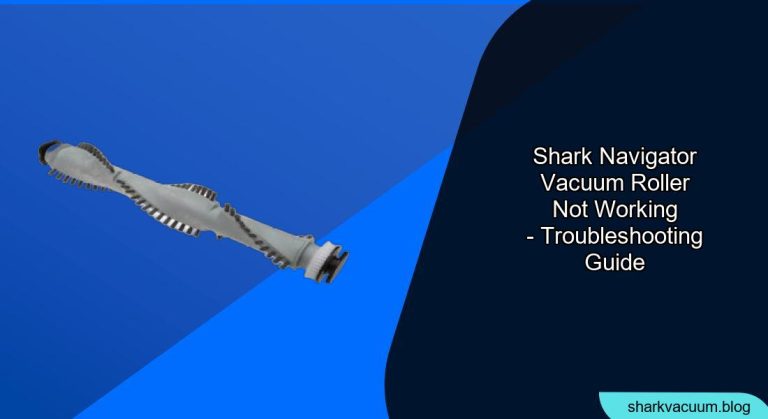
Is your Shark Navigator vacuum cleaner’s roller brush refusing to spin? A non-functioning roller can significantly reduce your vacuum’s cleaning power, leaving dirt and debris behind. This comprehensive guide will walk you through the most common causes of a Shark Navigator vacuum roller not working and provide step-by-step troubleshooting instructions to get your vacuum back in top shape.
A malfunctioning roller brush on your Shark Navigator vacuum can be frustrating, turning what should be a quick cleaning task into a laborious chore. A vacuum without a working roller brush loses much of its agitation power, struggling to lift dirt, pet hair, and debris embedded in carpets and rugs. In this guide, we’ll explore why this happens and equip you with the knowledge to diagnose and fix the problem yourself. You’ll learn how to identify blockages, check the belt, and maintain your vacuum for optimal performance. By following these steps, you can save time and money while keeping your home clean and healthy.
Common Causes of a Shark Navigator Vacuum Roller Not Working

Several factors can cause your Shark Navigator’s roller brush to stop spinning. Understanding these common causes is the first step in diagnosing and resolving the issue.
- Blockages: Hair, string, and other debris can easily get tangled around the roller brush, preventing it from spinning freely.
- Overfull Dust Cup: A full dust cup can restrict airflow, which in turn can affect the roller brush’s performance.
- Belt Issues: The belt that connects the motor to the roller brush can stretch, break, or slip off its track.
- Motor Problems: In rare cases, the motor that drives the roller brush may be faulty.
- Sensor or Switch Malfunctions: Some models have sensors or switches that detect if the brush roll is properly engaged, and these can sometimes malfunction.
Step-by-Step Troubleshooting Guide
Follow these steps in order to diagnose and fix your Shark Navigator’s roller brush issue:
1. Unplug the Vacuum
Safety First: Always unplug your vacuum cleaner before performing any maintenance or troubleshooting steps.
2. Check and Clear Blockages
Tools/Materials: Scissors or a seam ripper, flashlight.
- Inspect the Brush Roll: Carefully examine the roller brush for any visible obstructions like hair, string, or carpet fibers.
- Remove the Debris: Use scissors or a seam ripper to cut away the tangled debris. Be careful not to damage the bristles.
- Check the Hose and Nozzle: Disconnect the hose and nozzle and check for any blockages. Use a flashlight to get a better view.
3. Empty the Dust Cup and Clean Filters
Importance of Cleanliness: A full dust cup and dirty filters can significantly reduce suction and affect the roller brush’s performance.
- Empty the Dust Cup: Remove and empty the dust cup according to your model’s instructions.
- Clean the Filters: Locate and remove the filters. Wash them with water and allow them to dry completely before reinstalling. Check your owner’s manual for specific filter cleaning instructions.
4. Inspect the Belt
Belt Check: The belt connects the motor to the brush roll. If it’s broken or loose, the brush roll won’t spin.
- Access the Brush Roll Compartment: Refer to your owner’s manual for instructions on how to access the brush roll compartment. This usually involves removing a cover or plate.
- Check the Belt: Inspect the belt for signs of wear, damage, or breakage. Make sure it is properly seated on both the motor shaft and the brush roll.
- Replace the Belt: If the belt is damaged or stretched, replace it with a new one that is specifically designed for your Shark Navigator model.
5. Reset the Vacuum
Power Cycle: Resetting can sometimes resolve minor electrical glitches.
- Unplug the Vacuum: Make sure the vacuum is unplugged.
- Wait: Wait for about 60 minutes.
- Plug It Back In: Plug the vacuum back in and try turning it on.
6. Check the Brush Roll Motor
When to Suspect a Motor Issue: If you’ve cleared blockages and checked the belt, and the roller still isn’t spinning, the motor may be the issue.
- Listen to the Motor: Turn on the vacuum and listen carefully. If you don’t hear the motor running, or if it sounds weak or strained, it could indicate a problem.
- Professional Repair: If you suspect a motor issue, it’s best to consult a professional repair technician. Motor repairs can be complex and may require specialized tools.
Troubleshooting Guide
| Problem | Possible Cause(s) | Solution(s) |
|---|---|---|
| Roller brush not spinning at all | Blockage, broken or loose belt, motor failure | Clear blockages, replace the belt, consult a professional for motor repair |
| Roller brush spins intermittently | Partial blockage, stretched belt, low power | Clear blockages thoroughly, replace the belt, ensure the vacuum is plugged into a working outlet |
| Roller brush making unusual noises | Tangled debris, worn bearings | Clear blockages, inspect and replace bearings if necessary |
| Vacuum loses suction and roller stops | Full dust cup, clogged filters | Empty the dust cup, clean or replace the filters |
| “Brush Roll Indicator” light is illuminated | Brush roll is obstructed | Turn off and unplug the vacuum. Remove any obstructions in the brush roll, clear debris from the brush roll, and restart the vacuum. If light persists, the vacuum will need to be assessed by a technician. |
Pro Tips
- Regular Maintenance: Clean the roller brush and filters regularly to prevent build-up and maintain optimal performance.
- Cut Hair Regularly: Use scissors to cut away hair and string wrapped around the brush roll every few weeks.
- Avoid Vacuuming Cords: Be careful not to vacuum over electrical cords, as they can easily get tangled in the brush roll.
- Check the Belt Periodically: Inspect the belt regularly for signs of wear and tear.
- Use the Right Settings: Ensure you are using the appropriate settings for the type of flooring you are vacuuming.
Alternatives/Variations
- Different Vacuum Models: Consider upgrading to a newer Shark Navigator model with improved brush roll technology or a self-cleaning brush roll.
- Professional Cleaning: For stubborn dirt and grime, consider hiring a professional carpet cleaning service.
FAQ Section
Why is my Shark Navigator’s brush roll light red?
A red brush roll indicator light typically means that the brush roll is experiencing a problem, such as a blockage or motor issue. Unplug the vacuum and inspect the brush roll for any obstructions. Clear any debris and then reset the vacuum. If the light persists, it may indicate a more serious problem requiring professional repair.
How often should I replace the brush roll on my Shark Navigator?
The lifespan of a brush roll depends on usage and maintenance. However, as a general guideline, you should consider replacing the brush roll every 6-12 months, or sooner if you notice signs of wear, such as damaged bristles or reduced cleaning performance.
Can I use a universal belt on my Shark Navigator vacuum?
It is generally not recommended to use a universal belt on your Shark Navigator. Always use a belt that is specifically designed for your model. Using the wrong belt can result in poor performance or damage to the vacuum.
What type of maintenance is essential for my Shark Navigator vacuum?
Essential maintenance tasks include regularly emptying the dust cup, cleaning or replacing the filters, checking and clearing the brush roll of debris, and inspecting the belt for wear and tear. Following these steps will help prolong the life of your vacuum and maintain its cleaning performance.
What do I do if my Shark Navigator vacuum is still not working after troubleshooting?
If you’ve tried all the troubleshooting steps and your vacuum is still not working, it’s best to contact Shark customer service or consult a qualified repair technician. There may be an underlying issue that requires professional attention.
Where can I find replacement parts for my Shark Navigator vacuum?
Replacement parts, such as belts, brush rolls, and filters, can be purchased from the Shark website, authorized retailers, or online marketplaces like Amazon. Be sure to purchase parts that are specifically designed for your Shark Navigator model.
Tips, Warnings, and Best Practices
- Safety First: Always unplug the vacuum before performing any maintenance.
- Avoid Water Damage: Never immerse the vacuum or its components in water, except for the filters when cleaning.
- Read the Manual: Refer to your owner’s manual for specific instructions and safety guidelines.
- Regular Cleaning: Clean the brush roll and filters regularly to prevent clogs and maintain optimal performance.
- Professional Help: If you are uncomfortable performing any of the troubleshooting steps, consult a qualified repair technician.
Conclusion
A Shark Navigator vacuum with a non-functioning roller brush can be a cleaning nightmare. By following this troubleshooting guide, you can systematically diagnose and resolve the most common causes of the problem. From clearing blockages to inspecting the belt, these steps will help you get your vacuum back in top working order. Regular maintenance and prompt attention to issues will ensure that your Shark Navigator continues to deliver powerful cleaning performance for years to come. Now that you’re armed with these tips, get that brush roll spinning and enjoy a cleaner home! If problems persist, consider contacting a professional for assistance.





