
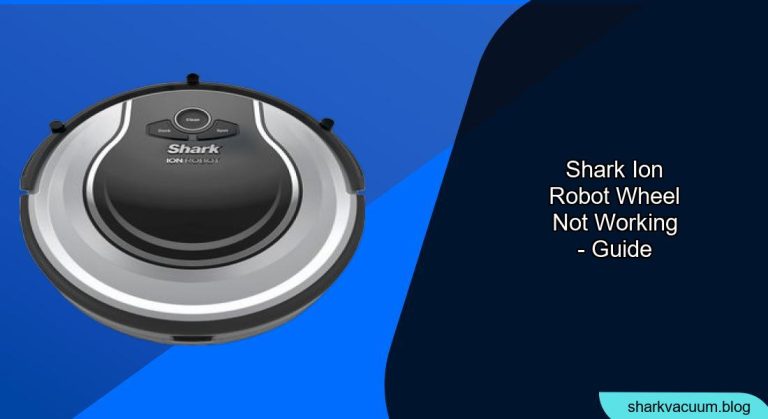
Is your Shark ION robot vacuum spinning in circles or refusing to move? A malfunctioning wheel is often the culprit. This article provides a comprehensive guide to diagnosing and fixing a Shark ION robot wheel that’s not working, getting your cleaning companion back on track.
Why a Functioning Robot Vacuum Wheel Matters
A robot vacuum’s wheels are essential for navigation and effective cleaning. When a wheel malfunctions, the robot may exhibit erratic behavior, fail to cover the entire cleaning area, or simply stop working altogether. Addressing wheel issues promptly ensures your Shark ION robot can maintain its cleaning schedule and keep your floors spotless.
This guide will walk you through common causes, step-by-step troubleshooting, and preventative measures to keep your Shark ION robot rolling smoothly.
1. Identifying the Problem Wheel
The first step is to determine which wheel is causing the problem.
- Observation: Watch your Shark ION robot as it attempts to clean. Does it spin in circles? Does one wheel appear to be struggling or completely stationary?
- Manual Check: With the robot turned off, manually spin each wheel. Does one feel significantly stiffer or offer more resistance than the other?
- Error Codes: Check the robot’s display or app for any error codes related to wheel issues. Consult your user manual for code definitions.
2. Cleaning Debris from the Wheel Well

Obstructions are the most common cause of wheel problems.
Tools Needed:
- Small screwdriver (Phillips head)
- Tweezers or small pliers
- Cleaning brush or cloth
Steps:
- Power Off: Turn off the Shark ION robot and unplug it from the charging dock.
- Access the Wheel: Turn the robot over to access the wheels.
- Remove the Wheel (If Possible): Some Shark ION models allow you to remove the wheels. Refer to your user manual for specific instructions. If the wheel is easily removable, do so.
- Clear Obstructions: Use tweezers or small pliers to remove any visible debris, such as hair, carpet fibers, or threads, from around the wheel axle and inside the wheel well.
- Deep Clean: Use a small brush or cloth to thoroughly clean the wheel well, removing any accumulated dirt or grime.
- Reassemble: If you removed the wheel, reattach it securely.
- Test: Turn the robot back on and observe its movement.
H3: Pro Tip: Preventing Debris Buildup
- Regularly inspect and clean the wheels every 1-2 weeks, depending on floor type and pet shedding.
- Trim long hair or threads that may become entangled in the wheels.
3. Checking for Internal Obstructions
Sometimes, debris can work its way inside the wheel mechanism.
Tools Needed:
- Small screwdriver (Phillips head)
Steps:
- Disassemble the Wheel Housing: Carefully remove the screws holding the wheel housing together. Refer to your user manual for specific disassembly instructions.
- Inspect Internal Components: Look for any debris lodged inside the wheel mechanism, such as hair wrapped around gears or axles.
- Clean Internal Components: Use tweezers or a small brush to remove any obstructions.
- Lubricate (If Necessary): If the wheel mechanism appears dry or stiff, apply a small amount of silicone-based lubricant to the moving parts.
- Reassemble: Carefully reassemble the wheel housing, ensuring all screws are tightened securely.
- Test: Turn the robot back on and observe its movement.
H3: Warning: Avoid Over-Lubrication
- Using too much lubricant can attract more dirt and debris, potentially worsening the problem.
4. Inspecting the Wheel Motor

If cleaning doesn’t resolve the issue, the wheel motor itself may be faulty.
Tools Needed:
- Multimeter (optional)
Steps:
- Access the Motor: Disassemble the robot to access the wheel motor. Refer to your user manual for specific instructions.
- Visual Inspection: Check the motor for any signs of damage, such as burnt wires or loose connections.
- Continuity Test (Optional): Use a multimeter to test the motor’s continuity. If there is no continuity, the motor is likely faulty.
- Replace the Motor: If the motor is damaged or faulty, replace it with a new one. You can purchase replacement motors from Shark or authorized retailers.
- Reassemble: Carefully reassemble the robot.
- Test: Turn the robot back on and observe its movement.
H3: Alternative: Contact Shark Support
- If you’re uncomfortable disassembling the robot or diagnosing motor issues, contact Shark customer support for assistance.
5. Checking the Robot’s Sensors

Sometimes, wheel problems are caused by faulty sensors that misread the robot’s movement.
Steps:
- Clean the Sensors: Use a soft, dry cloth to clean the sensors located near the wheels.
- Test the Sensors: Observe the robot’s behavior after cleaning the sensors. Does it move more smoothly?
- Replace Sensors (If Necessary): If cleaning doesn’t resolve the issue, the sensors may need to be replaced.
H3: Tips for Sensor Maintenance
- Regularly clean the sensors to ensure accurate navigation.
- Avoid using harsh chemicals or abrasive cleaners on the sensors.
6. Resetting the Robot
A simple reset can sometimes resolve software glitches that cause wheel problems.
Steps:
- Locate the Reset Button: Refer to your user manual to find the reset button on your Shark ION robot.
- Press and Hold: Press and hold the reset button for 10-15 seconds.
- Release: Release the reset button and wait for the robot to restart.
- Test: Observe the robot’s movement after the reset.
7. Updating the Robot’s Firmware
Outdated firmware can sometimes cause compatibility issues that affect wheel performance.
Steps:
- Check for Updates: Connect your Shark ION robot to your Wi-Fi network and check for firmware updates through the Shark app.
- Install Updates: If updates are available, follow the on-screen instructions to install them.
- Test: Observe the robot’s movement after the firmware update.
H3: Best Practices for Firmware Updates
- Ensure your robot is fully charged before starting a firmware update.
- Do not interrupt the update process, as this could damage the robot’s software.
FAQ Section
H3: Why is my Shark ION robot spinning in circles?
Spinning in circles is a common symptom of a wheel problem, often caused by obstructions or a faulty wheel motor. Start by cleaning the wheels and checking for any debris.
H3: How often should I clean the wheels of my Shark ION robot?
Regular cleaning every 1-2 weeks is recommended, depending on your floor type and pet shedding. More frequent cleaning may be necessary in homes with pets or high traffic areas.
H3: Can I replace the wheel motor myself?
Yes, you can replace the wheel motor yourself if you are comfortable disassembling the robot and have basic mechanical skills. Replacement motors are available from Shark and authorized retailers.
H3: What type of lubricant should I use on the wheel mechanism?
Use a silicone-based lubricant specifically designed for electronics or small appliances. Avoid using petroleum-based lubricants, as they can damage plastic components.
H3: My Shark ION robot wheel is still not working after cleaning and resetting. What should I do?
If cleaning and resetting don’t resolve the issue, the wheel motor may be faulty, or there could be a problem with the robot’s sensors. Contact Shark customer support for further assistance.
H3: Is there a warranty on Shark ION robot wheels?
The warranty coverage for robot wheels varies depending on the specific model and warranty terms. Refer to your warranty documentation or contact Shark customer support for details.
Tips, Warnings, and Best Practices
- Safety First: Always turn off and unplug the robot before performing any maintenance or repairs.
- User Manual: Refer to your user manual for specific instructions and safety information related to your Shark ION model.
- Preventative Maintenance: Regular cleaning and maintenance can prevent wheel problems and extend the life of your robot.
- Authorized Retailers: Purchase replacement parts from Shark or authorized retailers to ensure compatibility and quality.
- Professional Assistance: If you’re uncomfortable performing any of the troubleshooting steps, contact Shark customer support or a qualified repair technician for assistance.
Conclusion
A malfunctioning wheel can disrupt your Shark ION robot’s cleaning performance, but with the right troubleshooting steps, you can often resolve the issue yourself. By identifying the problem, cleaning debris, inspecting internal components, and following the tips in this guide, you can get your robot vacuum back on track and enjoy clean floors once again. If all else fails, don’t hesitate to contact Shark customer support for expert assistance.





