
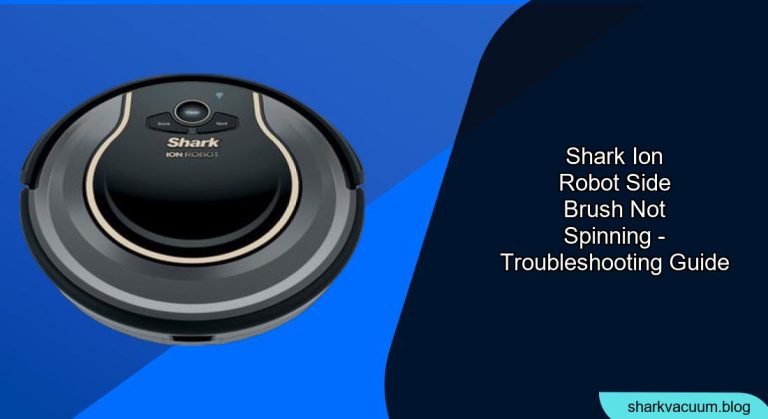
Is your Shark ION robot vacuum doing a half-hearted cleaning job because one of its side brushes refuses to spin? This is a common issue, but thankfully, it’s often easily resolved. This guide will walk you through the steps to diagnose and fix a Shark ION robot side brush that’s not spinning, ensuring your robot vacuum gets back to its efficient cleaning routine. We’ll cover everything from simple fixes to more in-depth troubleshooting.
Having a robot vacuum makes cleaning easier, but it can be frustrating when it malfunctions. A non-spinning side brush can significantly reduce your Shark ION’s cleaning effectiveness, especially along edges and in corners. This article provides a comprehensive guide to identify the cause of the problem and implement practical solutions, saving you time and potentially avoiding costly repairs. Let’s get your Shark ION spinning again!
Identifying the Problem: Why Is My Side Brush Not Spinning?

Before you start taking things apart, let’s pinpoint the most likely causes:
- Obstructions: Hair, string, or debris tangled around the brush or axle.
- Brush Wear and Tear: The brush itself may be damaged or worn out. Similarly, on upright models like the Shark NV680, users sometimes encounter situations where the brush roll stops spinning due to wear and tear or entanglement.
- Motor Issues: The side brush motor could be faulty.
- Software Glitches: Sometimes, a simple reset can fix software-related hiccups.
- Connection Problems: The connection between the brush and the robot may be loose.
Step-by-Step Troubleshooting and Solutions
Here’s a detailed guide to getting your Shark ION’s side brush spinning:
1. Power Cycle Your Shark ION
A simple restart can sometimes resolve minor software glitches that might be affecting the side brush.
- Turn off your Shark ION: Locate the power switch, usually on the side or bottom of the robot, and turn it off.
- Remove the battery (if possible): Some models allow you to remove the battery. This ensures a complete power cycle.
- Wait 15-20 seconds: This allows the system to fully reset.
- Reassemble and turn it back on: Replace the battery (if removed) and power the unit back on.
- Test: Run the robot and observe if the side brush is now spinning.
2. Inspect and Clean the Side Brush and Axle
Obstructions are the most common culprit.
- Remove the Side Brush: Gently pull the side brush straight down. It should detach easily.
- Inspect for Tangled Debris: Look closely at the brush and the axle for hair, string, or other debris.
- Remove Debris: Use scissors or a small brush to carefully cut away and remove any tangled material. Pay close attention to the area where the brush connects to the robot.
- Reattach the Side Brush: Ensure the brush is securely snapped back into place.
- Test: Run the robot to see if the brush now spins freely.
3. Check the Side Brush Motor
If cleaning doesn’t work, the motor itself might be the issue.
- Listen Closely: With the robot turned on (and safely elevated), listen closely to the side brush motor. Can you hear any sound coming from it?
- No Sound: If there’s no sound, the motor may be faulty.
- Replace the Motor: Depending on your comfort level, you can either replace the motor yourself (parts can be found online) or take the robot to a repair shop.
4. Inspect the Brush Itself for Damage
Sometimes the brush itself is the problem.
- Check for Damage: Look for bent, broken, or excessively worn bristles.
- Compare: If possible, compare the brush to the working brush on the other side of the robot.
- Replace: If the brush is damaged, replace it with a new one. Shark ION replacement brushes are readily available online.
5. Check the connections
A loose connection can prevent the side brush from spinning.
- Inspect the Connector: Examine the point where the side brush connects to the robot. Look for any signs of damage or loose connections.
- Clean the Connector: Use a dry cloth or cotton swab to clean the connector.
- Secure the Connection: Make sure the side brush is securely attached to the robot.
- Test: Run the robot to see if the brush now spins freely.
Practical Tips, Warnings, and Best Practices
- Regular Maintenance: Clean the side brushes regularly (at least once a week) to prevent buildup and tangles.
- Avoid Water: Never submerge the robot or side brushes in water.
- Use the Right Tools: When removing debris, use small scissors or a specialized cleaning tool to avoid damaging the brush or robot.
- Check for Updates: Ensure your Shark ION robot has the latest software updates, as these can sometimes address performance issues.
FAQ: Common Questions About Shark ION Side Brush Issues
Why does my Shark ION robot keep leaving debris along the edges of the room?
A non-spinning side brush is a primary reason. The side brush is designed to sweep debris from edges into the path of the main brush. If it’s not working, it can’t do its job effectively.
How often should I replace the side brushes on my Shark ION robot?
It depends on usage, but generally, replace them every 6-12 months, or sooner if you notice significant wear and tear.
Can I use any side brush replacement, or does it have to be a specific Shark ION model?
It’s crucial to use replacement brushes specifically designed for your Shark ION model. Using the wrong brush can affect performance and potentially damage the robot.
Is it normal for the side brushes to spin at different speeds?
Slight variations in speed can be normal, but a significant difference could indicate a problem with one of the motors or an obstruction.
What if both of my Shark ION’s side brushes aren’t spinning?
If both brushes aren’t spinning, the problem is likely not with the brushes themselves. Check the main motor, software, or contact Shark customer support.
Will using generic replacement brushes void my Shark ION’s warranty?
Using generic replacement parts could void your warranty. Check the warranty terms carefully before using non-official parts.
Conclusion
A non-spinning side brush on your Shark ION robot can be a frustrating problem, but with a systematic approach, it’s often easily fixed. Start with the simplest solutions, like power cycling and cleaning, and then move on to more complex troubleshooting steps if needed. Regular maintenance and timely replacement of worn parts will keep your Shark ION running smoothly and ensure your home stays clean. If all else fails, don’t hesitate to contact Shark customer support for assistance.





