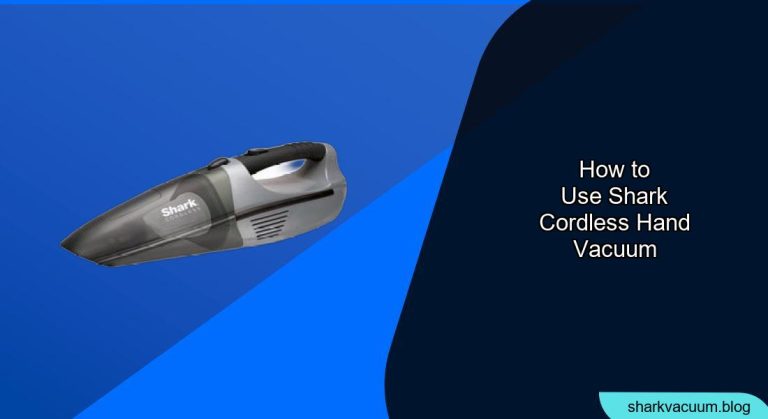
A Shark cordless hand vacuum is a versatile tool for quick cleanups around your home, car, or office. Whether you’re tackling crumbs, pet hair, or dust, understanding how to properly use and maintain your Shark hand vacuum will ensure optimal performance and longevity. This guide provides step-by-step instructions, helpful tips, and troubleshooting advice to help you get the most out of your device.
Getting Started with Your Shark Cordless Hand Vacuum

Before the first use, it’s important to familiarize yourself with the components and charging process.
Unboxing and Component Overview
When you first unbox your Shark cordless hand vacuum, make sure you have all the components. These typically include:
- The hand vacuum unit
- A crevice tool for tight spaces
- A dusting brush for delicate surfaces
- A charging dock or cable
- An instruction manual
Take a moment to review each part to understand its function.
Charging Your Vacuum
- Initial Charge: Place the vacuum in its charging dock or connect the charging cable. Allow it to charge fully before the first use. This may take several hours.
- Charging Indicator: The vacuum usually has an LED indicator that shows the charging status. It typically lights up while charging and turns off or changes color when fully charged.
- Battery Life: Refer to the manual for the expected battery life and charging time for your specific model.
Step-by-Step Guide to Using Your Shark Cordless Hand Vacuum
Follow these steps to effectively use your Shark cordless hand vacuum for various cleaning tasks.
1. Prepare for Cleaning
Before you start, ensure the vacuum is fully charged for optimal performance. Select the appropriate attachment for the surface you’ll be cleaning. For example, use the crevice tool for tight spaces and the dusting brush for upholstery.
2. Powering On and Off
- Power Button: Locate the power button on the vacuum.
- Turning On: Press the power button once to turn on the vacuum. Some models may have multiple power settings.
- Turning Off: Press the power button again to turn off the vacuum.
3. Using Attachments
- Attaching: Align the desired attachment with the vacuum nozzle and push it in until it clicks or fits securely.
- Detaching: To remove an attachment, press the release button (if available) and gently pull the attachment away from the nozzle.
4. Cleaning Different Surfaces
- Hard Surfaces: Use the vacuum directly on hard surfaces like countertops or floors. Move the vacuum in smooth, overlapping motions to pick up debris.
- Upholstery: Use the dusting brush attachment to gently clean upholstery, car seats, and other fabric surfaces.
- Crevices: Attach the crevice tool to reach narrow spaces, such as between car seats or along baseboards.
5. Emptying the Dust Cup
- Locate the Dust Cup Release: Find the release button or latch for the dust cup, usually located on the front or side of the vacuum.
- Emptying: Hold the vacuum over a trash can and press the release button to empty the dust cup.
- Cleaning: Periodically clean the dust cup with a damp cloth to remove any stuck-on debris. Ensure the dust cup is completely dry before reattaching it to the vacuum.
Maximizing Performance and Battery Life
To ensure your Shark cordless hand vacuum operates at its best, consider these tips:
- Regular Charging: Keep the vacuum charged when not in use to maintain battery health.
- Proper Storage: Store the vacuum in a cool, dry place away from direct sunlight.
- Filter Maintenance: Clean the filter regularly to maintain suction power. Follow the manufacturer’s instructions for cleaning or replacing the filter.
Troubleshooting Common Issues
Here are some common problems and how to solve them:
Problem 1: Reduced Suction Power
- Cause: Clogged filter or full dust cup.
- Solution: Empty the dust cup and clean the filter. Ensure the filter is completely dry before reinstalling it.
Problem 2: Vacuum Won’t Turn On
- Cause: Low battery or power switch issue.
- Solution: Charge the vacuum fully. If it still doesn’t turn on, check the power switch for any obstructions or damage.
Problem 3: Unusual Noises
- Cause: Blockage in the vacuum or damaged components.
- Solution: Check for any blockages in the nozzle or attachments. If the noise persists, contact Shark customer service.
Problem 4: Short Battery Life
- Cause: Battery not fully charged or old battery.
- Solution: Ensure the vacuum is fully charged before use. If the battery life is still short, the battery may need to be replaced.
Practical Tips for Effective Cleaning
Here are some pro tips to enhance your cleaning routine with the Shark cordless hand vacuum:
- Pet Hair Removal: Use the dusting brush or a specialized pet hair attachment for effective removal of pet hair from upholstery and carpets.
- Car Cleaning: The crevice tool is perfect for cleaning between seats and in tight spaces in your car.
- Quick Kitchen Cleanups: Keep the vacuum handy in the kitchen for quick cleanups after meals.
FAQ Section
How often should I clean the filter of my Shark cordless hand vacuum?
Clean the filter at least once a month, or more frequently if you use the vacuum heavily. A clean filter ensures optimal suction power and prevents damage to the motor.
Can I use my Shark cordless hand vacuum on wet surfaces?
No, Shark cordless hand vacuums are designed for dry use only. Using the vacuum on wet surfaces can damage the motor and pose a safety hazard.
How do I know when my Shark cordless hand vacuum is fully charged?
The vacuum typically has an LED indicator that shows the charging status. It usually lights up while charging and turns off or changes color when fully charged. Refer to your specific model’s manual for details.
What should I do if my vacuum starts making strange noises?
Turn off the vacuum immediately and check for any blockages in the nozzle, attachments, or dust cup. If the noise persists after removing any obstructions, contact Shark customer service for further assistance.
Can I replace the battery in my Shark cordless hand vacuum?
Yes, in many models, the battery can be replaced. Contact Shark customer service or check their website for replacement battery options and instructions.
How do I store my Shark cordless hand vacuum to prolong its life?
Store the vacuum in a cool, dry place away from direct sunlight. Ensure it is fully charged before storing it for extended periods to maintain battery health.
Tips, Warnings, and Best Practices
- Safety First: Always turn off the vacuum before performing any maintenance or cleaning.
- Avoid Overcharging: Once fully charged, disconnect the vacuum from the charger to prevent overcharging and prolong battery life.
- Read the Manual: Always refer to the instruction manual for specific instructions and safety guidelines for your model.
Conclusion
Mastering the use of your Shark cordless hand vacuum can significantly simplify your cleaning tasks. By following this comprehensive guide, you can ensure your vacuum operates efficiently and effectively for years to come. Keep it charged, maintain it properly, and utilize the appropriate attachments for various surfaces to achieve the best results. Now that you know how to properly use your Shark cordless hand vacuum, put these tips into action and enjoy a cleaner, more comfortable living space. Whether it’s a quick crumb cleanup or tackling pet hair, your Shark hand vacuum is up to the task.