Your Shark vacuum just died mid-clean—no warning lights, no gradual fade, just sudden silence. Before you panic or rush to buy a replacement, know this: 90% of “dead” Shark vacuums can be revived with simple diagnostics that take under 15 minutes. From thermal shutdowns to hidden blockages, we’ll walk through the exact troubleshooting sequence that technicians use, minus the service call fees. If your Shark vacuum suddenly stopped working during carpet cleaning or while tackling pet hair, this guide targets the exact failure points causing sudden death in models NV752, Vertex, and Stratos units.
Power Supply Verification First
Skip straight to the most common culprit: faulty power delivery. Always test your wall outlet first—plug a phone charger or lamp into the same receptacle. If that fails, check your circuit breaker panel for tripped switches. GFCI outlets in kitchens and bathrooms often trip silently; press the reset button firmly until you hear a click.
Corded Model Emergency Checklist
Run your fingers along the entire power cord length while the vacuum is unplugged. Feel for dangerous pinch points near furniture legs, melted insulation near heat vents, or fraying at plug connections. Critical test: Gently flex the cord where it enters the vacuum while plugged in. If the power flickers, you’ve found an internal break requiring professional repair—never tape damaged cords.
Cordless Battery Emergency Protocol
Place your Shark on its charger and decode the LED signals:
– Solid red light: Charging normally (wait 3 hours)
– Solid green: Fully charged but may have cell imbalance
– Blinking red: Critical battery fault—replace immediately
Cold weather kills cordless runtime. If your garage is below 40°F, warm the battery indoors for 30 minutes before retesting. For sudden shutdowns at 50% charge, note that blinking red-green lights indicate imbalanced cells requiring battery replacement.
Thermal Safety Shutdown Fix

Why Your Vacuum Died Mid-Clean
Shark vacuums contain a bi-metal thermal switch that instantly cuts power at 221°F to prevent motor meltdown. This triggers after:
– 10+ minutes of clogged filter usage
– Blocked airflow from packed debris
– Continuous max power mode on thick carpet
Sarah’s NV752 died after 12 minutes on shag carpet—classic thermal overload from restricted airflow. The solution? A precise reset procedure.
Reset Procedure That Actually Works
- Unplug immediately (or remove battery)
- Wait 45-60 minutes in a 68-75°F room
- Clean all filters during downtime (see next section)
- Test on hard floor before tackling carpet again
Never skip the cool-down period—rushing this causes repeated shutdowns. During the wait, focus on filter maintenance to prevent recurrence.
Filter Cleaning Schedule That Prevents Shutdown
Foam & Felt Pre-Motor Filters
These live above the dust cup and clog fastest:
– Rinse frequency: Every 4 weeks under lukewarm water
– Drying time: 24 hours minimum (never reinstall damp)
– Replacement: When foam starts crumbling or shedding
Burning hair smell? Your HEPA filter is overdue. Located behind the dust cup, it requires weekly tapping against trash to remove surface dust and annual replacement (part #XHF200).
Airflow Path Inspection Guide

Quick Blockage Test
Drop a quarter through your hose. It should exit in under 2 seconds. If stuck, you’ve found your problem. For deeper inspection, detach the hose completely and look through it like a telescope—any dark spots indicate stubborn blockages.
Common Obstruction Points
| Location | What to Look For | Cleaning Tool |
|---|---|---|
| Floorhead intake | Hair, Legos, popcorn | Phillips screwdriver + hook tool |
| Hose bends | Socks, pine needles | Broomstick handle |
| Dust cup cyclone | Fine dust, cereal | Rinse monthly, dry 48 hrs |
| Wand connection | Pet hair clumps | Flashlight + long tweezers |
Pro move: Shine a flashlight through the wand—visible debris requires immediate clearing. Compressed air often fails on compacted blockages; physical removal is essential.
Brushroll & Belt Revival
Brushroll Stoppage Symptoms
- Motor runs but no carpet agitation
- Red LED on models NV752, ZU503AMZ
- Burning rubber smell from slipping belt
Hair Removal Without Disassembly
For minor tangles:
1. Flip vacuum over
2. Cut hair with seam ripper while slowly rotating brushroll
3. Pull debris away in long strips
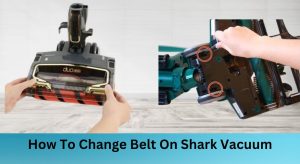
Belt replacement signs:
– Missing teeth on cogged belt
– Slack exceeding ½ inch when pressed
– Squealing sound during operation
Error Code Decoder for Smart Models
Vertex/Stratos Error Guide
- E1: Motor overcurrent → Clean filters & hose
- E2: Battery fault → Remove and reseat battery
- E3: Brushroll obstruction → Clear debris
Reset Procedures by Model
| Series | Reset Method | Cool-Down |
|---|---|---|
| Navigator NV350-752 | Unplug 30 min | Required |
| Rocket HV300 | Detach handheld | Skip |
| Vertex AZ2000 | Hold power 10s | Required |
| Stratos IZ300/400 | Power + boost 10s | Required |
Battery Replacement Decision Tree
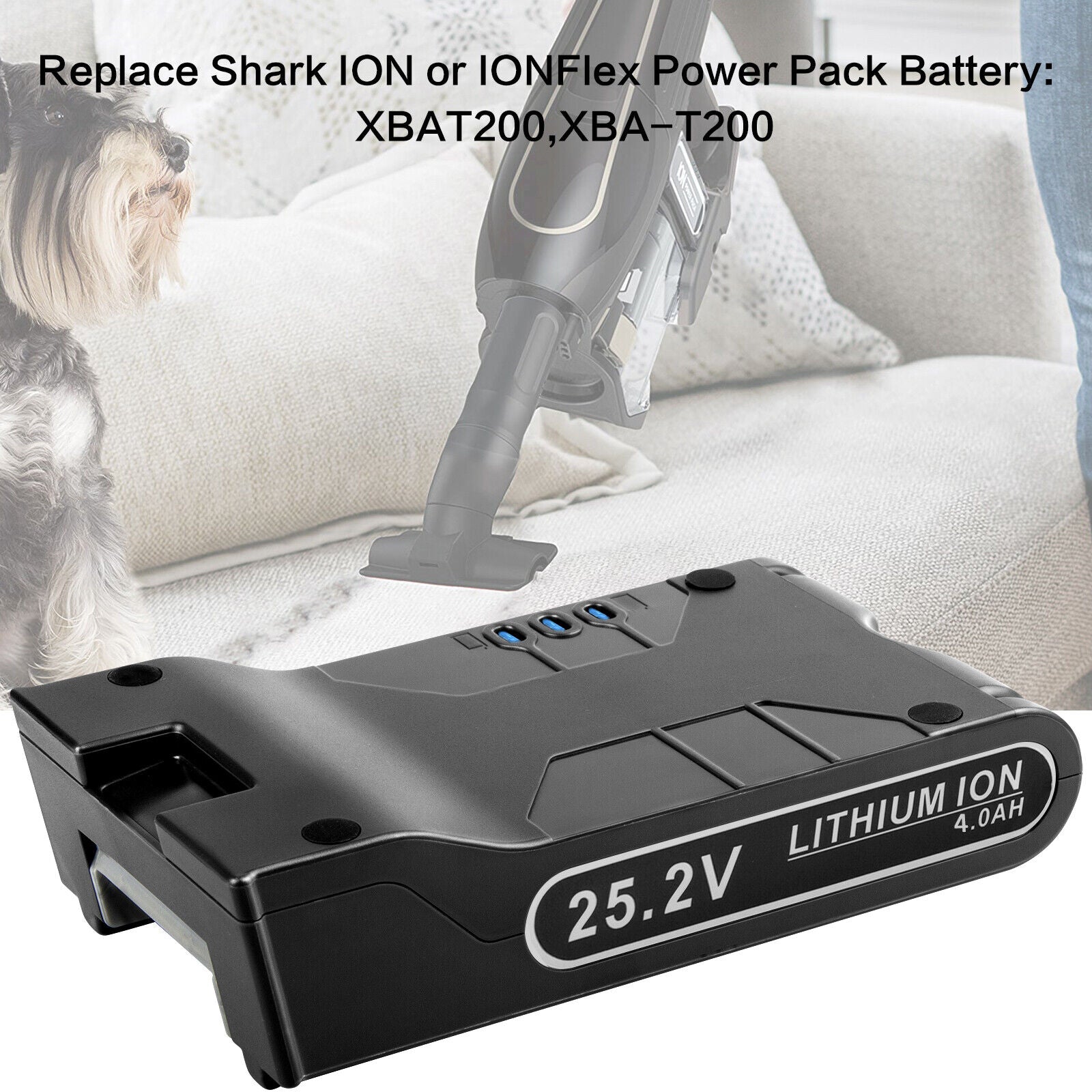
Replace your Shark battery if:
– Runtime drops below 30 seconds on MAX mode
– Charger LED flashes red-green alternately
– Battery case shows swelling or cracks
Cost breakdown:
– OEM battery: $57-70 (XBAT200)
– Aftermarket: $35-45 (risk of shorter lifespan)
– Professional install: Add $25-40 labor
DIY replacement: Takes 5 minutes with a Phillips screwdriver—no technical skills needed. Never use non-Shark chargers (like 5V USB-C cables), as these cause slow charging and cell damage.
Maintenance Schedule That Prevents 90% of Failures
Weekly (5 minutes)
- Empty dust cup at ¾ full mark
- Tap HEPA filter against trash
- Quick brushroll hair check
Monthly (15 minutes)
- Rinse foam/felt filters
- Inspect cord for damage
- Wipe exterior with damp cloth
Quarterly (30 minutes)
- Remove cyclone assembly, rinse thoroughly
- Clean sensor windows with alcohol swab
- Check all screws for tightness
Annual refresh kit: HEPA + foam/felt + belt = $35 total, prevents $200+ service calls. Register your vacuum at registeryourshark.com for 5-year motor coverage.
Professional Service Thresholds
Stop and call Shark if:
– Carbon brushes measure <3mm through vent slots
– Cracked fan impeller causes high-pitched whine
– PCB burn marks visible under battery bay
Warranty facts:
– 5 years: Motor coverage
– 1 year: Parts & labor
– Void triggers: Opened motor housing or removed safety seals
Shark service: 1-800-798-7398. Have your model number (found on silver sticker) ready. Never disassemble the motor housing—this voids warranty and risks electrical hazards.
Quick Diagnostic Decision Tree
Vacuum stops →

├── No power LED? → Outlet → Cord → Reset

├── LED on, no suction? → Filters → Blockage

├── Hot smell? → Cool 45 min → Clean filters

├── Brushroll stopped? → Hair → Belt

├── Error code? → Look up → Reset

└── Still dead? → Battery → Service
Time investment: Most fixes take 10-15 minutes. Thermal resets need 45 minutes of patience but cost nothing. When your Shark vacuum suddenly stopped working, remember: sudden silence usually means safety systems did their job—not permanent failure. Start with power verification, then work through thermal reset and filter cleaning. These three steps solve 80% of sudden shutdowns within an hour. Bookmark this guide—you’ll need it again when (not if) your vacuum hits its next safety threshold.