
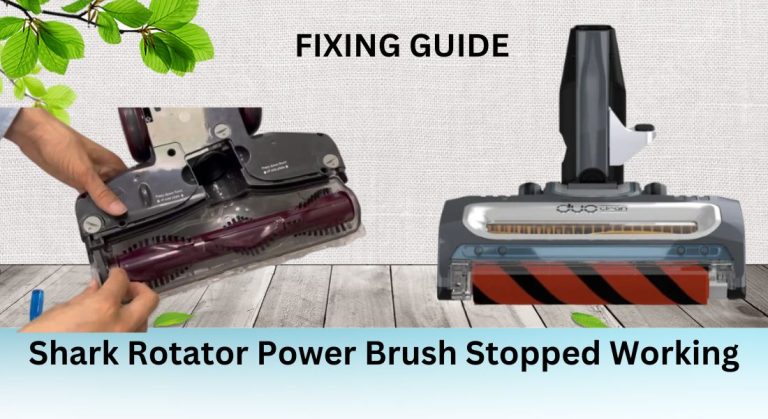
When your Shark Rotator power brush stops working, it can disrupt your cleaning routine and leave you wondering what went wrong. This issue is not only frustrating but can also reduce the vacuum’s effectiveness, especially on carpets and hard floors. Understanding the root cause—whether it’s a blockage, worn-out brushes, or a motor issue—is essential to resolving the problem and restoring your vacuum’s performance. This guide will walk you through the troubleshooting and repair process step by step.
Inside the Shark Rotator Power Brush Mechanism
The power brush in the Shark Rotator vacuum plays a critical role in cleaning both carpets and hard floors. It agitates and lifts dirt, debris, and pet hair, ensuring a thorough clean. However, when it stops working, the vacuum’s performance is significantly compromised. Several factors can cause the power brush to malfunction, including blockages, damaged brushes, or issues with the vacuum’s motor or belt.
Identifying the Cause of the Issue
To fix the problem, you first need to identify the root cause. Common issues include blockages in the hose or brush roll, worn-out or damaged brushes, and problems with the vacuum’s motor or belt. Let’s explore each of these in detail.
Blockages
Blockages are one of the most common reasons the power brush stops working. Hair, string, or other debris can get tangled around the brush roll or stuck in the hose or wand, preventing the brush from spinning. To check for blockages, inspect the hose, wand, and brush roll. Remove any debris using the vacuum’s cleaning tools or a pair of scissors.
Worn-Out or Damaged Brushes
Over time, the brushes on the power brush can wear out or become damaged. This can prevent the brush from rotating properly. Inspect the brushes for signs of wear or damage, such as fraying or missing bristles. If the brushes are worn out, replace them with new ones to restore functionality.
Issues with the Vacuum’s Motor or Belt
If the motor or belt is faulty, the power brush may not spin. Check the belt for signs of wear or breakage and replace it if necessary. If the motor is not functioning, you may need to replace it. This is a more advanced repair, so consider seeking professional assistance if you’re unsure how to proceed.
Troubleshooting Steps
Follow these steps to troubleshoot and fix your Shark Rotator power brush issue.
Step 1: Check the Vacuum’s Settings
Ensure the vacuum is in the correct mode. The power brush may not work if the vacuum is set to hard floor mode instead of carpet mode. Switch to the appropriate setting and test the brush.
Step 2: Clean the Brush Roll
Remove any debris or blockages from the brush roll. Use the vacuum’s cleaning tools to remove hair and strings wrapped around the brush. Regular cleaning can prevent future issues.
Step 3: Inspect the Belt and Motor
Inspect the belt for signs of wear or breakage. If the belt is damaged, replace it with a new one. Check the motor for any issues, such as unusual noises or failure to start. If the motor is faulty, it may need to be replaced.
Advanced Troubleshooting and Repair
If basic troubleshooting doesn’t resolve the issue, advanced techniques may be necessary. This includes checking the micro switch and using a multimeter to diagnose electrical problems.
Replacing the Micro Switch
The micro switch controls the power brush’s operation. If it’s faulty, the brush may not spin. Here’s how to replace it:
Preparing for the Replacement
Gather the necessary tools, including a screwdriver and replacement micro switch. Ensure the vacuum is unplugged before starting.
Removing the Old Micro Switch
Locate the micro switch, usually near the brush roll. Disconnect the wires or connectors and remove the screws or clips holding it in place.
Installing the New Micro Switch
Align the new micro switch and secure it with screws or clips. Reconnect the wires or connectors, then test the vacuum to ensure the brush is working.
Preventative Maintenance and Tips

Regular maintenance can prevent future issues with the power brush. Clean the brush roll, check the belt and motor, and inspect the vacuum’s settings periodically.
Regular Cleaning and Maintenance
Clean the vacuum’s filters, brush roll, and other parts regularly. Check the belt and motor for signs of wear or damage and replace them as needed.
Troubleshooting Common Issues
Be aware of common issues that can cause the power brush to stop working, such as blockages, worn-out brushes, or faulty switches. Address these issues promptly to maintain your vacuum’s performance.
Seeking Further Assistance
If you’ve tried all the troubleshooting steps and the power brush still isn’t working, it may be time to seek professional help. Contact Shark’s customer support for assistance. Provide them with your vacuum’s model number and a detailed description of the issue to get the best support.
By following this guide, you can troubleshoot and repair your Shark Rotator power brush, ensuring your vacuum remains effective and reliable. Regular maintenance and prompt attention to issues will keep your vacuum in top condition for years to come.





