
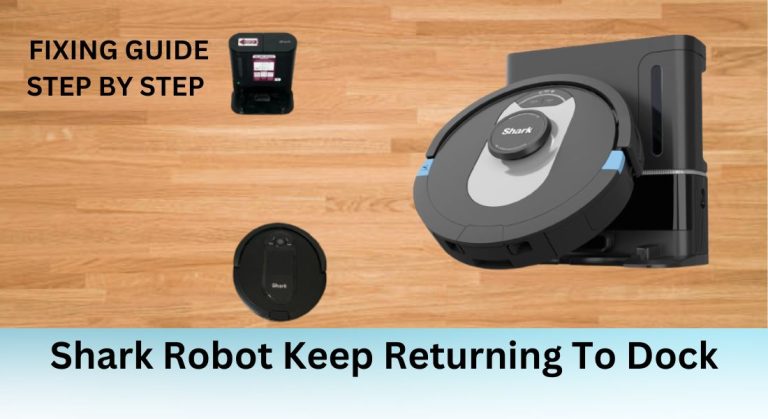
Shark robot vacuums are designed to make cleaning effortless, but some users have reported an issue where the robot keeps returning to its dock prematurely, without completing its cleaning cycle. This problem can be frustrating, especially when you rely on the robot to maintain a clean home. Understanding the potential causes and solutions is essential for ensuring your Shark robot operates efficiently and reliably.
Possible Causes of the Issue
App-Related Problems
One of the most common causes of the premature docking issue is related to the SharkClean app. Users have reported that the problem often occurs when using the app to control the robot but not when using the physical clean button on the vacuum itself. This suggests that software glitches or compatibility issues within the app could be the culprit. To resolve this, try updating the app to the latest version or reinstalling it. If the problem persists, consider using the physical clean button as a temporary workaround.
Sensor and Navigation Issues
Shark robots rely on sensors to navigate and detect obstacles. If these sensors are dirty or malfunctioning, the robot may misinterpret its surroundings and return to the dock prematurely. Regularly cleaning the sensors, especially those located underneath the vacuum, can help ensure proper function. Additionally, check for any physical obstructions that might be blocking the sensors, such as furniture or stick-on padding.
Map and Mapping Issues
Mapping errors or incomplete maps can also cause the robot to return to the dock unexpectedly. If the robot is unable to accurately map the cleaning area, it may struggle to navigate effectively. To address this, try remapping the area or deleting the existing map and creating a new one. Editing the map to better reflect the layout of your home can also help the robot navigate more efficiently.
Physical Obstructions and Environmental Factors
Physical obstructions, such as furniture, cords, or rugs, can interfere with the robot’s sensors and cause it to dock prematurely. Rearranging your home to minimize these obstructions can improve the robot’s performance. Additionally, ensure that the dock is placed in a location with adequate clearance and is free from any obstacles that could impede the robot’s ability to return to it.
Firmware and Software Updates
Keeping your Shark robot’s firmware and software up to date is crucial for resolving known issues and improving overall performance. Check for updates regularly through the SharkClean app or contact customer service to ensure your robot is running the latest software version. In some cases, updating the firmware has been reported to resolve the premature docking issue.
Workarounds and Temporary Solutions
Using the Physical Clean Button
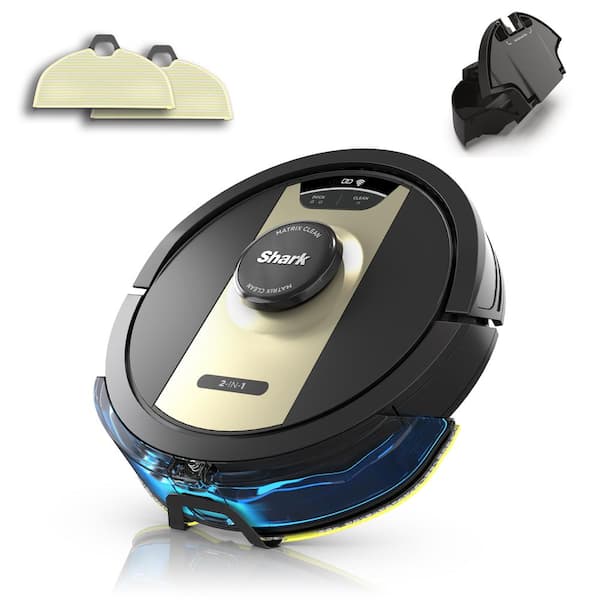
One effective workaround is to use the physical clean button on the robot instead of the app. Many users have found that this bypasses potential app-related issues and allows the robot to complete its cleaning cycle without returning to the dock prematurely.
Pausing and Resuming the Cleaning Cycle
Another workaround involves pausing the cleaning cycle immediately after starting it and then resuming it. This can help the robot overcome navigation or sensor issues and complete its cleaning cycle.
Creating a High-Traffic Zone
Setting up a high-traffic zone on the map can also help the robot navigate more effectively. By directing the robot to clean a specific area, you may be able to bypass the bug that causes it to return to the dock prematurely.
Forgetting and Reconnecting the Shark Robot
Forgetting the robot in the app and then reconnecting it can sometimes resolve connectivity or software issues. This process essentially resets the connection between the robot and the app, potentially eliminating any glitches that were causing the problem.
Troubleshooting and Maintenance

Regular Maintenance Tasks
To ensure your Shark robot operates efficiently, perform regular maintenance tasks such as cleaning the filter, brushroll, and side brushes. Empty the dust bin after each use and check for any blockages or obstructions that could affect performance.
Troubleshooting Common Issues
If your robot is not charging, getting stuck, or having trouble navigating between floor types, refer to the user manual or troubleshooting guide for solutions. Regularly monitoring the robot’s performance and addressing any issues promptly can help prevent problems like premature docking.
Advanced Navigation and Mapping Features

Understanding IQ NAV Technology
Shark robots use IQ NAV advanced navigation technology to efficiently clean your home. This technology allows the robot to map your home and navigate around obstacles, ensuring thorough cleaning. Understanding how this technology works can help you troubleshoot and optimize your robot’s performance.
Customizing Maps and Cleaning Routes
Customizing maps and cleaning routes can further enhance your robot’s efficiency. By defining specific rooms and cleaning zones, you can ensure that the robot focuses on high-traffic areas and avoids unnecessary trips back to the dock.
Customer Support and Resources
Contacting Shark Customer Service
If you’re unable to resolve the issue on your own, contact Shark customer service for assistance. They can provide additional troubleshooting steps, firmware updates, or even arrange for repairs if necessary.
Online Resources and FAQs
Shark offers a variety of online resources, including FAQs, user manuals, and troubleshooting guides, to help you resolve common issues with your robot. These resources can provide valuable insights and solutions to ensure your robot operates smoothly.
Best Practices for Shark Robot Owners

Preparing the Home for Cleaning
To optimize your robot’s performance, prepare your home for cleaning by clearing clutter, securing cords, and designating cleaning areas. This can help the robot navigate more effectively and reduce the likelihood of premature docking.
Monitoring and Maintaining the Robot
Regularly monitor your robot’s performance and maintain it according to the manufacturer’s recommendations. This includes cleaning the sensors, replacing worn parts, and keeping the firmware up to date. By taking these steps, you can prevent issues and ensure your robot lasts for years to come.
Future Updates and Improvements
Upcoming Software Updates
Shark is continuously working to improve its products, and upcoming software updates may address the issue of premature docking. Keep an eye out for updates and install them as soon as they become available to benefit from the latest improvements.
New Features and Technologies
Future Shark robot models may include new features and technologies to enhance navigation, mapping, and cleaning efficiency. By staying informed about these developments, you can make informed decisions about upgrading your robot and improving your cleaning experience.





