
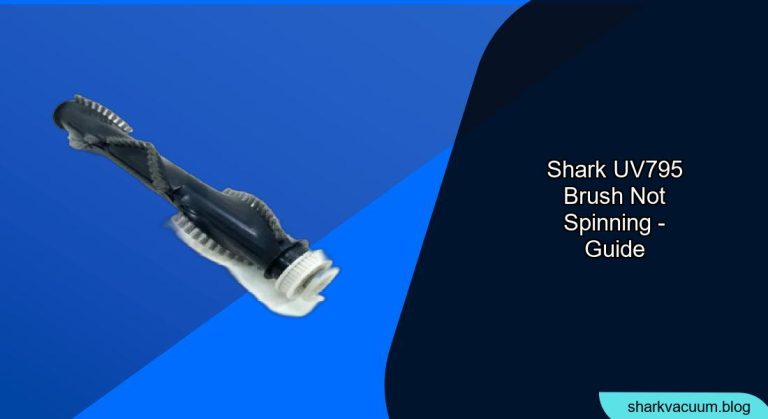
Is your Shark UV795 vacuum cleaner brush not spinning? This common issue can be frustrating, but it’s often easily resolved with a few troubleshooting steps. This guide will walk you through the most likely causes and how to fix them, ensuring your vacuum returns to peak performance.
If your Shark UV795 brush isn’t spinning, it could be due to a clog, a tangled brushroll, a faulty belt, or even a problem with the motor. Let’s get you back to efficiently cleaning your floors. We’ll cover everything from basic checks to more advanced solutions.
1. Preliminary Checks and Maintenance
Before diving into more complex solutions, start with these simple checks. These can often resolve the issue quickly and save you time.
Check the Power and Connections
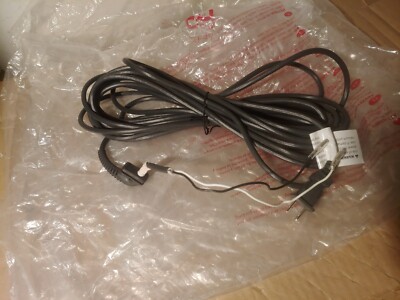
- Power Cord: Ensure the vacuum is properly plugged into a working power outlet. Test the outlet with another device to confirm it’s functioning correctly.
- Connections: Make sure all connections between the vacuum head, wand, and body are securely connected. Loose connections can interrupt power flow.
Empty the Dust Cup and Clean Filters
- Full Dust Cup: A full dust cup can restrict airflow and impact the brushroll’s performance. Empty the dust cup before proceeding.
- Dirty Filters: Clogged filters can also reduce suction and affect the brushroll. Remove and clean the filters according to the manufacturer’s instructions. Allow them to dry completely before reinstalling.
2. Inspect the Brushroll for Obstructions
The most common reason for a brushroll not spinning is an obstruction. Hair, string, and debris can easily get tangled around the brushroll, preventing it from rotating freely.
Visual Inspection
- Turn off and Unplug: Always turn off and unplug the vacuum before inspecting the brushroll.
- Examine the Brushroll: Look closely at the brushroll for any visible obstructions like hair, string, or larger debris.
Removing Tangled Debris
- Use Scissors or a Seam Ripper: Carefully cut away any tangled hair or string. A seam ripper can be particularly useful for getting under tightly wound debris.
- Remove the Brushroll (if possible): Some Shark models allow you to remove the brushroll for easier cleaning. Check your user manual for instructions on how to do this.
- Clean Thoroughly: Once the debris is removed, wipe down the brushroll and the surrounding area to ensure no small pieces remain.
3. Check and Replace the Brushroll Belt

If the brushroll is clear of obstructions but still not spinning, the belt that drives the brushroll may be broken or stretched out.
Locating the Belt
- Access the Brushroll Housing: Refer to your user manual for instructions on how to access the brushroll housing. This usually involves removing a few screws or clips.
- Inspect the Belt: Once the housing is open, inspect the belt for any signs of damage, such as breaks, cracks, or excessive stretching.
Replacing the Belt
- Purchase a Replacement Belt: Order a replacement belt that is specifically designed for your Shark UV795 model.
- Install the New Belt: Follow the instructions in your user manual to properly install the new belt. Ensure it is seated correctly around the motor shaft and the brushroll.
4. Resetting the Motor
Sometimes, the motor may overheat or experience a temporary malfunction, causing the brushroll to stop spinning.
Overheat Reset
- Unplug the Vacuum: Unplug the vacuum cleaner and allow it to cool down for at least 30 minutes.
- Check for Blockages: Ensure there are no blockages in the hose, wand, or brushroll.
- Restart the Vacuum: Plug the vacuum back in and try turning it on again. The motor may reset itself after cooling down.
5. Inspect the Brushroll Motor
If the brushroll still doesn’t spin after performing the above steps, the motor itself may be faulty.
Checking for Power
- Test with a Multimeter: If you are comfortable using a multimeter, you can test whether the motor is receiving power. Disconnect the motor and use the multimeter to check the voltage when the vacuum is turned on.
- Professional Repair: If the motor is not receiving power, there may be an electrical issue that requires professional repair.
Motor Replacement
- Purchase a Replacement Motor: If the motor is receiving power but the brushroll still isn’t spinning, the motor may need to be replaced. Order a replacement motor specifically for your Shark UV795 model.
- Install the New Motor: Follow the instructions in your user manual or consult a professional for assistance with motor replacement.
6. Contact Shark Customer Support
If you’ve tried all the troubleshooting steps and your Shark UV795 brush is still not spinning, it may be time to contact Shark customer support. They can provide additional assistance or advise on warranty options.
Gathering Information
- Model Number: Have your vacuum’s model number (UV795) and purchase date ready.
- Problem Description: Be prepared to describe the issue in detail and the steps you’ve already taken to resolve it.
Contact Options
- Phone Support: Call Shark customer support for real-time assistance.
- Online Support: Visit the Shark website for FAQs, troubleshooting guides, and contact forms.
FAQ Section
Why does my Shark vacuum brush stop spinning?
The brush may stop spinning due to obstructions like hair or string, a broken or stretched belt, a motor malfunction, or overheating. Regularly cleaning the brushroll and filters can prevent many of these issues.
How do I clean the brushroll on my Shark UV795?
First, turn off and unplug the vacuum. Then, remove any visible obstructions from the brushroll using scissors or a seam ripper. If possible, remove the brushroll from the vacuum for easier cleaning.
Can I replace the brushroll belt myself?
Yes, you can replace the brushroll belt yourself. Refer to your Shark UV795 user manual for detailed instructions on accessing the brushroll housing and replacing the belt. Make sure to purchase a compatible replacement belt.
What does it mean when the Shark vacuum overheats?
Overheating typically occurs when there is a blockage in the vacuum, such as a full dust cup or clogged filters. This can cause the motor to work harder and overheat. Unplug the vacuum and allow it to cool down for at least 30 minutes before restarting.
How often should I replace the filters on my Shark UV795?
The filters should be cleaned regularly, typically every 1-3 months, depending on usage. Replace the filters every 6-12 months to maintain optimal performance.
What if my Shark vacuum is still under warranty?
If your Shark vacuum is still under warranty, contact Shark customer support for assistance. They may offer repair or replacement options, depending on the issue and the terms of your warranty.
Tips, Warnings, and Best Practices
- Regular Maintenance: Regularly clean the brushroll and filters to prevent clogs and maintain optimal performance.
- Avoid Overloading: Avoid vacuuming large debris or excessive amounts of hair, as this can strain the motor and belt.
- Use the Right Settings: Use the appropriate settings for different floor types to prevent damage to the vacuum or your floors.
- Safety First: Always turn off and unplug the vacuum before performing any maintenance or repairs.
Conclusion
A brushroll that won’t spin on your Shark UV795 can be a nuisance, but with these troubleshooting steps, you can often resolve the issue yourself. Start with basic checks, inspect the brushroll for obstructions, and consider replacing the belt or motor if necessary. Regular maintenance and careful usage will help keep your vacuum running smoothly for years to come. If all else fails, don’t hesitate to contact Shark customer support for expert assistance.
Take action now! Start with the preliminary checks, and systematically work through the troubleshooting steps to get your Shark UV795 vacuum cleaner back in optimal working condition.





