
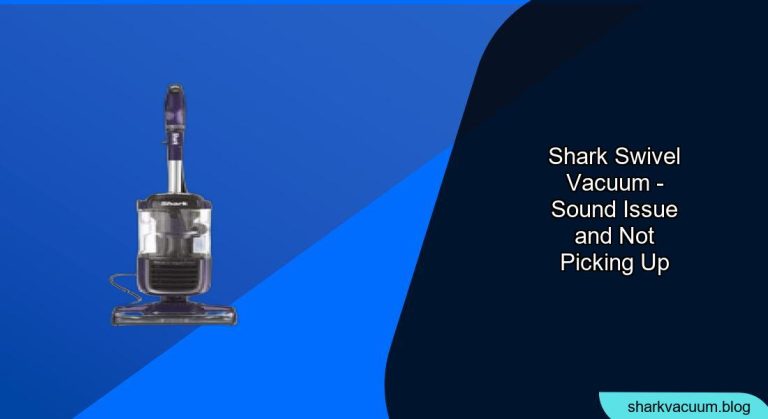
Is your Shark swivel vacuum emitting strange noises while simultaneously failing to effectively pick up dirt and debris? This can be incredibly frustrating, especially when you rely on your vacuum for maintaining a clean home. Fortunately, this is a common issue with Shark swivel vacuums, and in many cases, you can troubleshoot and resolve the problem yourself without needing professional repairs. This guide will walk you through the most common causes and solutions, helping you get your Shark vacuum back to its optimal performance.
A malfunctioning vacuum cleaner not only makes cleaning less effective but also more time-consuming. We will explore the reasons behind the noise and lack of suction, from simple fixes like clearing blockages to more intricate solutions involving the motor or brush roll. Let’s dive in to diagnose and fix the issue so you can get back to enjoying a clean and quiet home.
Identifying the Source of the Problem

Before diving into solutions, it’s essential to pinpoint where the problem originates. Common sources include blockages in the hose or brush roll, a full dust cup, or issues with the filters. Start by carefully inspecting each of these components to identify any obvious obstructions or signs of wear.
Checking for Blockages
A common culprit behind a noisy vacuum with poor suction is a blockage in the hose, wand, or brush roll.
- Inspect the Hose: Disconnect the hose from the vacuum body and the wand. Shine a flashlight through the hose to check for obstructions. Use a long, flexible object like a broom handle or a straightened coat hanger to dislodge any blockages.
- Examine the Wand: Similarly, detach the wand and inspect it for any clogs. Clear any obstructions you find.
- Brush Roll Inspection: Turn off and unplug the vacuum. Flip it over and check the brush roll for tangled hair, threads, or debris. Use scissors or a seam ripper to carefully remove any entangled materials. A build-up here can significantly reduce the vacuum’s effectiveness.
Emptying the Dust Cup
An overfilled dust cup can severely restrict airflow, causing the vacuum to lose suction and make unusual noises.
- Locate the Dust Cup: Typically, it’s a transparent container that easily detaches from the main body.
- Empty the Contents: Remove the dust cup and empty its contents into a trash bag.
- Clean the Dust Cup: Rinse the dust cup with water and ensure it is completely dry before reattaching it to the vacuum.
Cleaning or Replacing Filters
Dirty filters can impede airflow, leading to reduced suction and increased noise.
- Locate the Filters: Refer to your Shark vacuum’s manual to find the location of the filters. Common locations include near the dust cup or the motor.
- Remove the Filters: Take out the filters and inspect them.
- Clean or Replace: Depending on the type of filter (foam or HEPA), you can either wash them with water or replace them. Foam filters should be washed, dried completely, and then reinstalled. HEPA filters usually need replacement every few months. Check the manufacturer’s recommendations for specific cleaning or replacement guidelines.
Addressing Brush Roll Issues
The brush roll is crucial for agitating and lifting dirt from carpets and floors. If it’s not functioning correctly, your vacuum’s performance will suffer.
Removing Entangled Debris
As mentioned earlier, hair, threads, and fibers can easily get tangled around the brush roll, impeding its rotation.
- Turn Off and Unplug: Always ensure the vacuum is turned off and unplugged before performing any maintenance.
- Access the Brush Roll: Flip the vacuum over and locate the brush roll. Some models have an access panel that needs to be opened.
- Clear Debris: Use scissors or a seam ripper to carefully cut away any tangled hair or debris. Be cautious not to damage the bristles.
Checking the Brush Roll Motor
If the brush roll motor is failing, it may cause the brush roll to stop spinning or spin weakly, resulting in poor pickup and unusual sounds.
- Listen to the Motor: Turn on the vacuum and listen to the brush roll motor. If it sounds weak or strained, it may be failing.
- Inspect the Belt: Some Shark vacuums have a belt that drives the brush roll. Check the belt for signs of wear or breakage. If the belt is damaged, it will need to be replaced.
- Professional Repair: If the motor is indeed failing, it’s best to consult a professional repair service or consider replacing the vacuum.
Inspecting the Vacuum Seals

A compromised seal can lead to air leaks, reducing suction power and causing the vacuum to work harder, producing more noise.
Checking for Cracks and Damage
- Inspect Seals: Examine the seals around the dust cup, hose connections, and motor housing for any signs of cracks or damage.
- Replace if Necessary: If you find damaged seals, replace them. You can often order replacement seals directly from Shark or through online retailers.
Ensuring Proper Connections
Loose connections can also cause air leaks.
- Secure Connections: Make sure all connections between the hose, wand, dust cup, and vacuum body are secure.
- Listen for Air Leaks: Turn on the vacuum and listen for any whistling sounds, which can indicate an air leak. Address any loose connections or damaged seals promptly.
Addressing Motor Issues
The motor is the heart of your vacuum. If it’s not functioning correctly, your vacuum won’t perform well.
Overheating
An overheating motor can cause the vacuum to make unusual noises and lose suction.
- Allow to Cool: If you suspect the motor is overheating, turn off the vacuum and let it cool down for at least 30 minutes.
- Check for Blockages: Overheating is often caused by blockages that make the motor work harder. Ensure there are no obstructions in the hose, wand, or filters.
Unusual Noises
Strange sounds coming from the motor can indicate a more serious problem.
- Listen Carefully: Pay attention to the type of noise. Grinding or rattling sounds can indicate worn bearings or other internal damage.
- Professional Inspection: If you hear unusual noises, it’s best to have the motor inspected by a professional.
Additional Tips and Considerations
Here are some additional tips to keep your Shark swivel vacuum running smoothly:
- Regular Maintenance: Perform routine maintenance, such as emptying the dust cup and cleaning filters, regularly to prevent issues.
- Avoid Overloading: Don’t try to vacuum up large or heavy objects that could clog the vacuum or damage the motor.
- Use the Right Settings: Use the appropriate settings for different floor types to optimize performance and prevent damage.
FAQ Section
Why does my Shark vacuum smell bad?
A bad smell from your Shark vacuum is often due to trapped dirt, bacteria, or mold in the filters or dust cup. Clean or replace the filters regularly and ensure the dust cup is thoroughly cleaned and dried after each use. You can also try vacuuming a small amount of baking soda to help neutralize odors.
How often should I replace the filters on my Shark vacuum?
The frequency of filter replacement depends on usage. Generally, foam filters should be washed every 1-3 months and replaced every 6-12 months. HEPA filters should be replaced every 6-12 months. Check your vacuum’s manual for specific recommendations.
What do I do if my Shark vacuum has no suction?
First, check for blockages in the hose, wand, and brush roll. Then, empty the dust cup and clean or replace the filters. Also, inspect the seals for any damage. If none of these steps work, the motor may be failing, and you should consult a professional.
Can I use my Shark vacuum on hardwood floors?
Yes, Shark swivel vacuums are designed to be used on hardwood floors. Use the appropriate setting for hardwood floors to avoid scratching or damaging the surface. Some models also come with a soft brush roll specifically for hardwood floors.
How do I clean the brush roll on my Shark vacuum?
To clean the brush roll, turn off and unplug the vacuum. Flip it over and access the brush roll. Use scissors or a seam ripper to carefully cut away any tangled hair or debris. Ensure the brush roll is free from obstructions before using the vacuum again.
Is it worth repairing my Shark vacuum, or should I replace it?
The decision to repair or replace your Shark vacuum depends on the age and condition of the vacuum, as well as the cost of repairs. If the vacuum is relatively new and the repair cost is less than half the price of a new vacuum, it may be worth repairing. However, if the vacuum is old or the repair cost is high, it may be more cost-effective to replace it.
Tips, Warnings, and Best Practices
- Safety First: Always unplug the vacuum before performing any maintenance or repairs to avoid electric shock.
- Avoid Water Damage: Ensure all components are completely dry before reassembling the vacuum to prevent water damage.
- Regular Cleaning: Make it a habit to clean your vacuum regularly to prolong its life and maintain its performance.
- Read the Manual: Always refer to your Shark vacuum’s manual for specific instructions and recommendations.
Conclusion
A Shark swivel vacuum that makes noise and doesn’t pick up dirt can be a major inconvenience. However, by systematically troubleshooting the common issues outlined in this guide, you can often resolve the problem yourself. From checking for blockages and cleaning filters to addressing brush roll and motor issues, each step is designed to help you restore your vacuum’s performance. Regular maintenance and prompt attention to problems will keep your Shark vacuum running smoothly and efficiently for years to come.
If you’ve followed these steps and your vacuum still isn’t working correctly, it may be time to consult a professional repair service or consider purchasing a new vacuum. Keep your home clean and fresh by maintaining your vacuum and addressing any issues promptly.





