
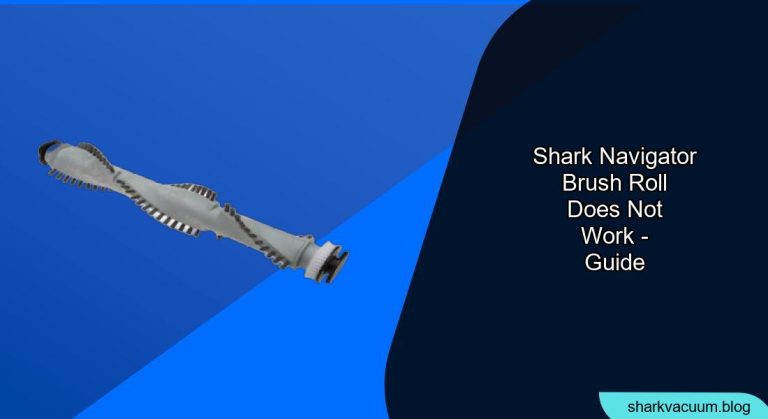
Is your Shark Navigator vacuum cleaner’s brush roll refusing to spin? A non-functioning brush roll can significantly impact your vacuum’s cleaning performance, especially on carpets and rugs. But don’t worry, in many cases, you can troubleshoot and fix the problem yourself. This guide will walk you through the common causes of a Shark Navigator brush roll not working and provide step-by-step solutions to get your vacuum back in action.
A faulty brush roll can change your entire cleaning schedule, and cause undue stress to your daily routine. This guide will walk you through each problem and how to fix them, so that you can get back to enjoying your home!
Common Causes and Solutions
Here’s a breakdown of the most frequent reasons why your Shark Navigator’s brush roll might not be spinning, along with practical solutions:
1. Check for Blockages
The Problem: Hair, string, and debris can easily get tangled around the brush roll, preventing it from spinning freely. This is the most common cause of a brush roll malfunction.
The Solution:
- Unplug the Vacuum: Always disconnect the vacuum from the power outlet before performing any maintenance.
- Locate the Brush Roll: The brush roll is typically located on the bottom of the vacuum head.
- Remove the Brush Roll Cover: Use a screwdriver (if necessary) to remove the cover that protects the brush roll.
- Clear the Debris: Carefully remove any visible hair, string, or debris wrapped around the brush roll. You can use scissors or a seam ripper to cut through tangled hair.
- Check the Brush Roll Bearings: Make sure the brush roll bearings (the end caps of the brush roll) are free from debris and can spin smoothly. Clean them if necessary.
- Reassemble: Replace the brush roll and the cover, ensuring they are securely fastened.
2. Reset the Brush Roll
The Problem: Some Shark Navigator models have a reset button for the brush roll motor. If the brush roll has overheated or encountered a significant obstruction, the motor might shut down as a safety precaution.
The Solution:
- Locate the Reset Button: Consult your vacuum’s user manual to find the location of the brush roll reset button. It’s often located on the vacuum head or body.
- Press the Reset Button: Press and hold the reset button for a few seconds (usually 3-5 seconds).
- Test the Brush Roll: Turn on the vacuum and check if the brush roll is spinning.
3. Inspect the Drive Belt
The Problem: The drive belt connects the motor to the brush roll, transferring power to make it spin. If the belt is broken, stretched, or has slipped off its track, the brush roll won’t work.
The Solution:
- Access the Drive Belt: You may need to remove the brush roll and potentially some additional covers to access the drive belt. Refer to your user manual for specific instructions.
- Inspect the Belt: Check the belt for any signs of damage, such as cracks, tears, or excessive stretching.
- Replace the Belt (if necessary): If the belt is damaged, replace it with a new one that is compatible with your Shark Navigator model. You can find replacement belts online or at appliance repair stores.
- Reinstall the Belt: Carefully place the new belt around the motor shaft and the brush roll. Make sure it’s properly seated in the grooves.
- Reassemble: Reassemble all the components you removed to access the drive belt.
4. Check the Motor
The Problem: In rare cases, the brush roll motor itself might be faulty. This is more likely if you’ve owned the vacuum for a long time or if it has been subjected to heavy use.
The Solution:
- Listen to the Motor: Turn on the vacuum and listen closely to the motor. If you hear unusual noises, such as grinding or squealing, it could indicate a problem with the motor.
- Test with a Multimeter (Advanced): If you have experience with electrical testing, you can use a multimeter to check if the motor is receiving power.
- Consult a Professional: If you suspect a motor problem, it’s best to consult a qualified appliance repair technician. Replacing the motor can be a complex and potentially dangerous task.
5. Examine the Switch
The Problem: Some Shark Navigator models have a switch that allows you to turn the brush roll on or off. If the switch is faulty or set to the “off” position, the brush roll won’t spin.
The Solution:
- Locate the Switch: Find the brush roll switch on your vacuum cleaner. It’s usually located on the handle or the main body of the vacuum.
- Ensure it’s “On”: Make sure the switch is set to the “on” or “brush roll” position.
- Test the Switch: If the switch feels loose or doesn’t click properly, it might be faulty. You may need to replace the switch.
6. Check the Brush Roll Sensor
The Problem: Some Shark Navigator models have a sensor that detects if the brush roll is obstructed. If the sensor is dirty or malfunctioning, it might prevent the brush roll from spinning.
The Solution:
- Locate the Sensor: Consult your vacuum’s user manual to find the location of the brush roll sensor.
- Clean the Sensor: Use a soft, dry cloth to clean the sensor.
- Test the Brush Roll: Turn on the vacuum and check if the brush roll is spinning.
Tools and Materials
- Screwdriver (Phillips head or flat head, depending on your model)
- Scissors or seam ripper
- Replacement drive belt (if needed)
- Soft cloth
- Multimeter (optional, for advanced testing)
Preparation Steps
- Read Your User Manual: Before attempting any repairs, consult your Shark Navigator’s user manual for specific instructions and safety information.
- Gather Your Tools: Assemble all the necessary tools and materials.
- Work in a Well-Lit Area: Choose a well-lit workspace to ensure you can see all the components clearly.
Troubleshooting Guide
| Problem | Possible Cause | Solution |
|---|---|---|
| Brush roll doesn’t spin at all | Blockage, broken belt, motor failure, switch issue | Clear debris, replace belt, consult professional, check switch |
| Brush roll spins intermittently | Loose belt, sensor issue | Replace belt, clean sensor |
| Brush roll spins slowly | Blockage, worn belt | Clear debris, replace belt |
| Vacuum cleaner vibrates excessively | Uneven brush roll, damaged brush roll bearings | Clear debris, replace brush roll |
| Burning smell from vacuum cleaner | Overheated motor, blocked brush roll | Clear debris, allow motor to cool, consult professional if smell persists |
Pro Tips
- Regular Maintenance: Regularly clean the brush roll and empty the dust cup to prevent blockages and maintain optimal performance.
- Avoid Vacuuming Cords: Be careful not to vacuum up cords or other small objects that could get tangled in the brush roll.
- Use the Right Settings: Use the appropriate suction and brush roll settings for different floor types.
Alternatives/Variations
- Professional Repair: If you’re not comfortable troubleshooting the problem yourself, you can take your Shark Navigator to a qualified appliance repair technician.
- Warranty Coverage: Check if your vacuum is still under warranty. If so, you may be able to get it repaired or replaced for free.
FAQ Section
What does the brush roll do on my Shark Navigator?
The brush roll is a rotating brush located on the bottom of your Shark Navigator vacuum cleaner. It’s designed to agitate carpets and rugs, loosening dirt and debris so that the vacuum can suction it up more effectively.
How often should I clean my Shark Navigator’s brush roll?
You should clean your brush roll regularly, ideally after each use or at least once a month, depending on how frequently you vacuum and the amount of pet hair and debris in your home.
Can I use my Shark Navigator without the brush roll spinning?
Yes, you can use your Shark Navigator without the brush roll spinning, but the cleaning performance will be significantly reduced, especially on carpets and rugs.
How do I know if my Shark Navigator’s drive belt needs to be replaced?
If the drive belt is visibly damaged, stretched, or cracked, it needs to be replaced. You may also notice a burning rubber smell or a decrease in brush roll performance.
Is it difficult to replace the brush roll motor on a Shark Navigator?
Replacing the brush roll motor can be a complex and potentially dangerous task. It’s best to consult a qualified appliance repair technician if you suspect a motor problem.
What can happen if I don’t fix the brush roll issue?
Continuing to use your Shark Navigator with a non-functioning brush roll can cause further damage to the vacuum cleaner, reduce its cleaning effectiveness, and potentially damage your carpets and rugs.
Tips, Warnings, and Best Practices
- Safety First: Always unplug the vacuum cleaner before performing any maintenance or repairs.
- Read the Manual: Refer to your Shark Navigator’s user manual for specific instructions and safety information.
- Don’t Force It: If you encounter resistance when removing or reassembling components, double-check that you’re following the correct procedure.
- Use Genuine Replacement Parts: When replacing parts, use genuine Shark replacement parts to ensure compatibility and optimal performance.
- Regular Maintenance is Key: Regular cleaning and maintenance can prevent many brush roll problems.
Conclusion
A non-functioning brush roll on your Shark Navigator can be frustrating, but with a little troubleshooting, you can often resolve the issue yourself. By following the steps outlined in this guide, you can identify the cause of the problem and implement the appropriate solution. Regular maintenance and prompt attention to any issues will help keep your Shark Navigator running smoothly and efficiently for years to come. If you’ve tried these tips and your brush roll still isn’t working, it may be time to contact a professional repair service or consider a replacement.





