
Is your Shark VacMop refusing to charge, leaving you with a dirty floor and a frustrating problem? Don’t worry, you’re not alone! Many users encounter charging issues with their VacMops. This guide will walk you through troubleshooting steps to get your Shark VacMop back up and running, so you can keep your floors sparkling clean. We’ll cover everything from basic checks to more advanced solutions.
A non-charging VacMop disrupts your cleaning routine and can be quite inconvenient. The good news is that most charging problems are easily resolved with a few simple checks and fixes. This article provides a comprehensive guide to help you diagnose and resolve the issue, saving you time and potentially avoiding the need for costly repairs or replacements. Let’s dive in and get your Shark VacMop charging again!
Check the Basics: Power Outlet and Charger

Before diving into more complex troubleshooting, let’s start with the basics. Ensuring the power outlet and charger are functioning correctly is the first step in diagnosing why your Shark VacMop isn’t charging.
- Verify the Power Outlet: Plug another device into the same outlet to confirm it’s working. If the outlet isn’t providing power, try a different one.
- Inspect the Charger: Check the charger for any visible damage, such as frayed wires or a broken connector. If you notice any damage, the charger may need to be replaced.
- Ensure Proper Connection: Make sure the charger is securely plugged into both the power outlet and the charging port on the VacMop. A loose connection can prevent the device from charging.
Clean the Charging Contacts

Dirty or corroded charging contacts can prevent a proper connection, leading to charging issues. Cleaning these contacts can often resolve the problem quickly and easily.
- Locate the Charging Contacts: Identify the charging contacts on both the VacMop and the charger. These are usually small metal plates or pins.
- Gather Your Cleaning Supplies: You’ll need a soft, dry cloth or cotton swab and some isopropyl alcohol (optional).
- Clean the Contacts: Gently wipe the charging contacts with the cloth or cotton swab. If there’s visible dirt or corrosion, lightly dampen the cloth with isopropyl alcohol and try again. Ensure the contacts are completely dry before attempting to charge the VacMop.
Reset the VacMop
Sometimes, a simple reset can resolve software glitches that might be preventing the VacMop from charging correctly. This process is quick and easy and can often restore normal functionality.
- Locate the Power Button: Find the power button on your Shark VacMop.
- Press and Hold: Press and hold the power button for 10-15 seconds. This should reset the device’s internal settings.
- Test the Charging: After releasing the power button, try charging the VacMop again to see if the issue has been resolved.
Check the Battery

The battery is a crucial component of your VacMop, and if it’s damaged or faulty, it can prevent the device from charging. Here’s how to inspect and address potential battery issues:
- Check for Swelling or Leaks: Examine the battery compartment for any signs of swelling, leaks, or corrosion. If you notice any of these issues, the battery likely needs to be replaced.
- Proper Battery Installation: Ensure the battery is correctly installed in the VacMop. A misaligned battery can prevent charging.
- Consider Replacement: If the battery is old or showing signs of wear, consider replacing it. Batteries have a limited lifespan, and a new battery can often resolve charging problems.
Inspect the Charging Port
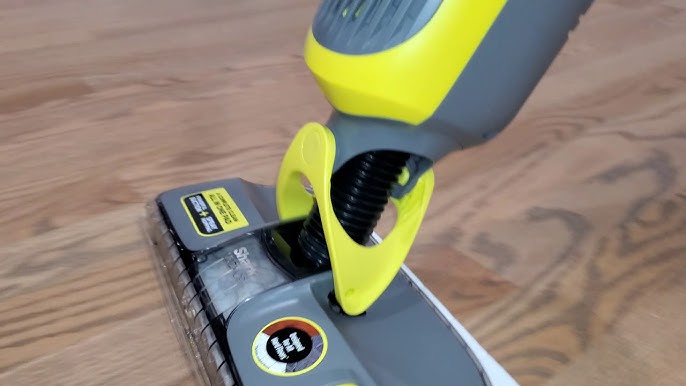
A damaged or blocked charging port can prevent the VacMop from receiving power. Inspecting and cleaning the charging port is essential for ensuring a proper connection.
- Visual Inspection: Carefully examine the charging port for any physical damage, such as bent pins or broken plastic.
- Remove Debris: Use a small, non-metallic tool (like a toothpick or compressed air) to remove any dust, dirt, or debris that may be blocking the port.
- Test the Connection: After cleaning the port, try connecting the charger again to see if the issue has been resolved.
Check the charging indicator
The charging indicator light on your Shark VacMop is a crucial visual cue that informs you about the charging status of your device. The location and behavior of this light can vary slightly depending on the specific model of your VacMop. Typically, this light is located near the power button or the charging port. Common behaviors of the charging indicator light include:
- Solid Light: Indicates that the VacMop is currently charging.
- Flashing Light: May indicate that the VacMop is not charging correctly or that there is an issue with the battery or charging system.
- Light Off: Can mean that the VacMop is fully charged, or that there is no power reaching the device.
Contact Shark Support
If you’ve tried all the troubleshooting steps and your Shark VacMop still isn’t charging, it may be time to contact Shark customer support. They can provide further assistance and help determine if there’s a more serious issue with your device.
- Gather Information: Before contacting support, gather as much information as possible about your VacMop, including the model number, purchase date, and a detailed description of the problem.
- Contact Options: Visit the Shark website for contact information, including phone numbers, email addresses, and live chat options.
- Warranty Information: Check if your VacMop is still under warranty. If it is, you may be eligible for a free repair or replacement.
FAQ About Shark VacMop Charging Issues
Why is my Shark VacMop not charging even when the charger is plugged in?
There could be several reasons: the power outlet might not be working, the charger could be damaged, the charging contacts might be dirty, or there could be an issue with the battery or charging port.
How often should I replace the battery on my Shark VacMop?
The lifespan of a Shark VacMop battery typically ranges from 1 to 2 years, depending on usage. If you notice a significant decrease in battery life or charging performance, it’s likely time for a replacement.
Can I use a different charger with my Shark VacMop?
It’s not recommended to use a charger other than the one specifically designed for your Shark VacMop. Using a different charger could damage the device or pose a safety risk.
What does a flashing light on my Shark VacMop indicate?
A flashing light usually indicates that the VacMop is not charging correctly. This could be due to a poor connection, a battery issue, or a problem with the charging system.
How do I know if my Shark VacMop battery is damaged?
Signs of a damaged battery include swelling, leaking, corrosion, or a significant decrease in battery life. If you notice any of these issues, the battery should be replaced immediately.
Tips, Warnings, and Best Practices
- Regular Maintenance: Clean the charging contacts and charging port regularly to prevent buildup and ensure a good connection.
- Proper Storage: Store your VacMop in a cool, dry place to prolong battery life and prevent damage.
- Avoid Overcharging: Once the VacMop is fully charged, disconnect it from the charger to prevent overcharging and extend battery life.
- Safety First: Always unplug the charger before cleaning the VacMop or inspecting any components.
- Read the Manual: Refer to the user manual for specific instructions and troubleshooting tips for your model of Shark VacMop.
Conclusion
A Shark VacMop that won’t charge can be a major inconvenience, but with a systematic approach, you can often resolve the issue yourself. By checking the basics, cleaning the contacts, resetting the device, inspecting the battery and charging port, and seeking professional help when needed, you can get your VacMop back to its optimal working condition. Remember to perform regular maintenance and follow best practices to prevent future charging problems.
If you’ve followed these steps and your VacMop is charging again, congratulations! You can now enjoy clean, sparkling floors with ease. If not, don’t hesitate to contact Shark support for further assistance. Your effort to troubleshoot and maintain your device will not only save you time and money but also extend the life of your Shark VacMop.





