
Is your Shark 2950 sweeper leaving debris behind because the brushes aren’t spinning? This is a common problem that can usually be fixed with a little troubleshooting. This article will guide you through the most common causes and provide step-by-step solutions to get your Shark sweeper back in top working condition. We’ll cover everything from simple fixes like clearing debris to more involved solutions.
1. Check for Obstructions in the Brush Roll
One of the most frequent reasons for brushes not turning is obstructions. Hair, string, and other debris can easily get tangled around the brush roll, preventing it from spinning freely.
How to Check and Clear Obstructions:
- Power Off: Turn off and unplug your Shark 2950 sweeper for safety.
- Inspect the Brush Roll: Look closely at the brush roll for any visible obstructions.
- Remove Debris: Use scissors or a seam ripper to carefully cut away tangled hair, string, or other debris. Be gentle to avoid damaging the bristles.
- Test the Brush Roll: Manually spin the brush roll to ensure it rotates freely. If it still feels stuck, re-inspect for any remaining obstructions.
2. Examine the Wheels

Sometimes, the issue isn’t with the brush roll itself, but with the wheels. If the wheels are unable to move smoothly, they can put a strain on the motor and prevent the brushes from turning.
How to Inspect and Clean the Wheels:
- Inspect Wheel Movement: Check each wheel individually to ensure they spin freely.
- Remove Debris: Use a small brush or cloth to clean around the wheels and remove any dirt, hair, or debris that may be hindering their movement.
- Lubricate (If Necessary): If the wheels are still stiff after cleaning, a tiny amount of silicone-based lubricant can help. Apply sparingly and wipe away any excess.
3. Battery Issues
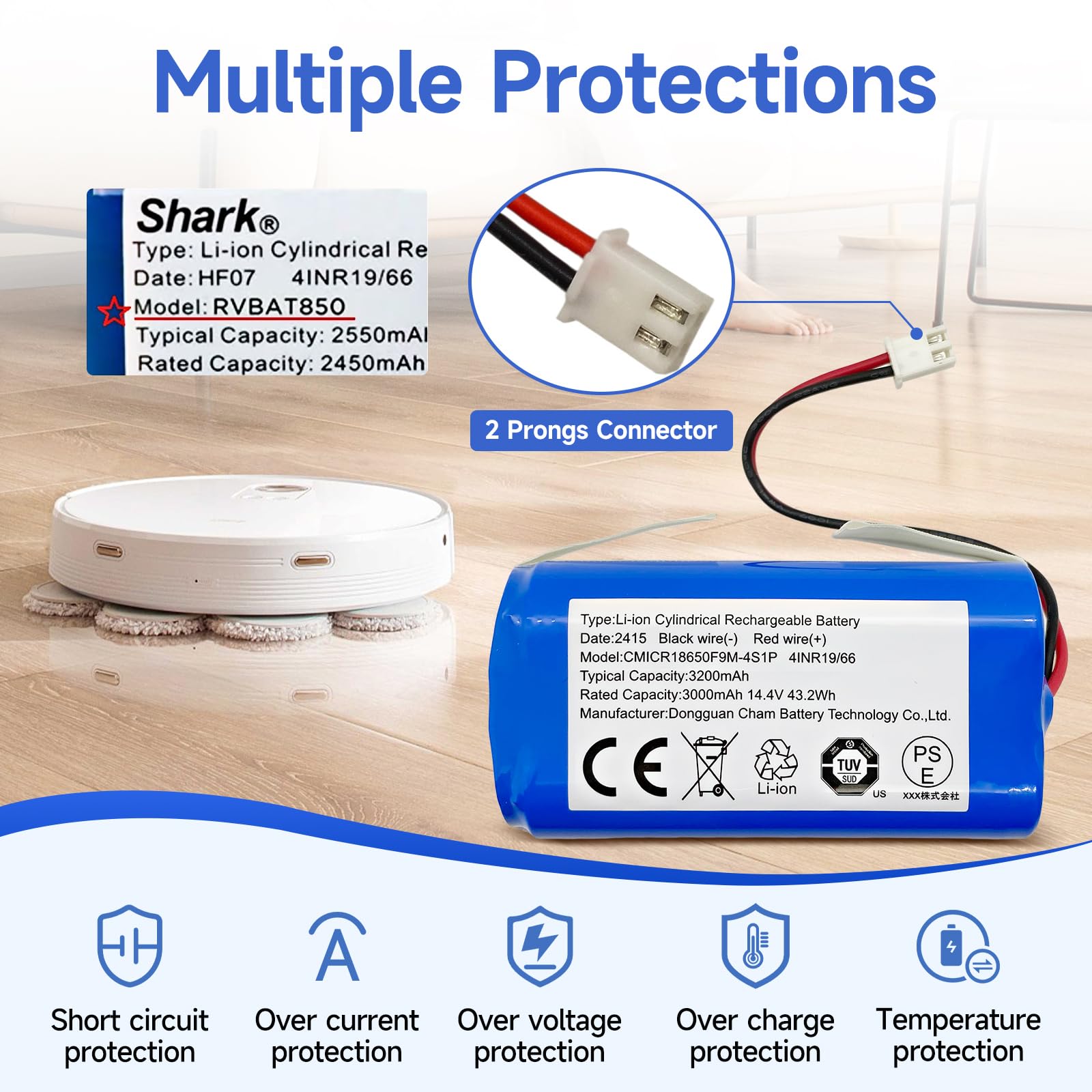
A weak or depleted battery can prevent the sweeper from operating at full power, leading to the brushes not turning.
How to Check and Address Battery Issues:
- Charge the Sweeper: Ensure the sweeper is fully charged according to the manufacturer’s instructions.
- Test Battery Functionality: If the sweeper still doesn’t work after charging, the battery may be faulty.
- Replace the Battery: Consider replacing the battery. You can typically find replacement batteries online or at appliance stores.
4. Check the Belt (If Applicable)
While the Shark 2950 is a direct drive model, it’s worthwhile to check if a belt is the problem. If your specific model has a belt that connects the motor to the brush roll, a worn or broken belt can certainly cause the brushes to stop turning.
How to Inspect the Belt:
- Access the Brush Roll Housing: Depending on your model, you may need to remove a cover or panel to access the brush roll and belt. Consult your user manual for specific instructions.
- Inspect the Belt: Look for signs of wear, such as cracks, fraying, or stretching. If the belt is broken, it will need to be replaced.
- Replace the Belt: Purchase a replacement belt that is compatible with your Shark 2950 model. Install the new belt according to the manufacturer’s instructions.
5. Overheating
If the sweeper is used for an extended period without rest, it could overheat, causing the brushes to stop spinning as a protective measure.
How to Address Overheating:
- Turn Off and Let Cool: Turn off the sweeper and allow it to cool down for at least 30 minutes.
- Clean Filters: Ensure the filters are clean to improve airflow and prevent overheating.
- Reduce Usage Time: Avoid using the sweeper for long periods without breaks to prevent future overheating.
6. Motor Problems
If none of the above solutions work, there may be an issue with the motor. Motor problems can range from a simple wiring issue to a complete motor failure.
How to Identify and Handle Motor Problems:
- Listen for Unusual Noises: Turn on the sweeper and listen for any strange noises coming from the motor.
- Check Wiring: If you’re comfortable doing so, inspect the wiring connections to the motor for any loose or damaged wires.
- Seek Professional Repair: If you suspect a motor problem and are not comfortable repairing it yourself, it’s best to take the sweeper to a qualified repair technician.
7. Resetting the Sweeper
Some sweepers have a reset function that can resolve minor software or electrical glitches. Check your user manual to see if your Shark 2950 model has a reset button or procedure. If so, follow the instructions to reset the sweeper and see if that resolves the issue.
Tools and Materials You Might Need
- Screwdrivers (Phillips and flathead)
- Scissors or seam ripper
- Small brush or cloth
- Silicone-based lubricant
- Replacement battery (if needed)
- Replacement belt (if applicable)
FAQ Section
What do I do if the brush roll is hard to remove?
Ensure the sweeper is turned off and unplugged. Check for any locking mechanisms or release buttons. Consult your user manual for specific instructions on removing the brush roll.
How often should I clean the brush roll?
It depends on how frequently you use your sweeper and the type of surfaces you’re cleaning. As a general guideline, check and clean the brush roll at least once a month, or more often if you notice a decrease in performance.
Can I use any type of lubricant on the wheels?
No, it’s important to use a silicone-based lubricant. Other types of lubricants may damage the plastic components of the wheels.
Why is my sweeper losing suction power?
Losing suction power can be related to the brushes not turning, but it can also be due to a clogged filter or a full dust cup. Ensure both are clean and empty.
How do I know if my battery needs replacing?
If your sweeper’s battery life has significantly decreased, or if it won’t hold a charge, it’s likely time to replace it.
Is it worth repairing a Shark sweeper?
It depends on the age and condition of your sweeper, as well as the cost of the repair. If the sweeper is relatively new and the repair cost is reasonable, it may be worth it. However, if the sweeper is old or the repair cost is high, it may be more cost-effective to replace it.
Tips, Warnings, and Best Practices
- Regular Maintenance: Regularly cleaning the brush roll, wheels, and filters can prevent many issues and prolong the life of your sweeper.
- Avoid Water: Never submerge the sweeper in water or use it on wet surfaces, as this can damage the motor and electrical components.
- Read the Manual: Always consult your user manual for specific instructions and safety precautions related to your Shark 2950 model.
- Unplug Before Servicing: Always unplug the sweeper before performing any maintenance or repairs.
Conclusion
Having your Shark 2950 sweeper’s brushes stop turning can be frustrating, but with these troubleshooting steps, you should be able to identify and resolve the issue. From clearing obstructions and addressing battery problems to checking belts and preventing overheating, these solutions can help you get your sweeper back to peak performance. If all else fails, don’t hesitate to seek professional repair to keep your home clean and tidy.





