
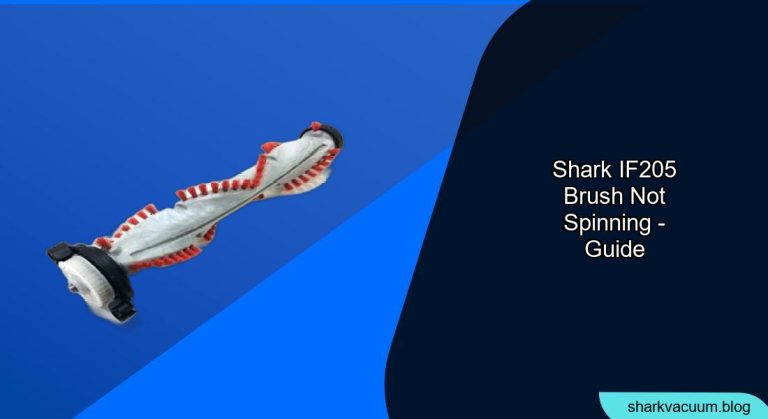
Is your Shark IF205 vacuum cleaner’s brush not spinning, leaving you with frustratingly uncleaned floors? It’s a common issue, but don’t worry, it’s often easily fixed. This guide will walk you through troubleshooting steps to get your Shark IF205 brush spinning again, so you can get back to enjoying a clean home. We’ll cover everything from simple fixes to more involved solutions, ensuring you can identify and resolve the problem effectively.
Your Shark vacuum is a valuable tool for maintaining a clean home, and a non-spinning brushroll can significantly hinder its performance. Understanding why this happens and how to address it will not only save you time and money but also extend the life of your vacuum. This article provides a step-by-step approach to diagnosing and resolving the issue, complete with practical tips and frequently asked questions. Let’s get started and get your vacuum back in action.
Common Causes and Simple Solutions
Before diving into more complex troubleshooting, let’s address the most common reasons why your Shark IF205 brush might not be spinning:
- Obstructions: Hair, string, and debris can easily wrap around the brushroll, preventing it from spinning freely.
- Full Dust Cup: A full dust cup can restrict airflow, impacting the vacuum’s overall performance, including brushroll function.
- Incorrect Settings: Ensure your vacuum is set to the appropriate floor type. Some settings may disengage the brushroll on hard floors.
- Battery Issues: A low battery charge can sometimes affect the brushroll’s power.
Initial Checks
- Check the Dust Cup: Empty the dust cup to ensure it’s not full.
- Inspect the Brushroll: Visually inspect the brushroll for any visible obstructions.
- Verify Settings: Make sure the vacuum is set to the correct floor type (carpet or hard floor).
- Battery Level: Ensure the vacuum is fully charged.
Deep Cleaning the Brushroll

If a visual inspection reveals debris wrapped around the brushroll, follow these steps to thoroughly clean it:
- Turn Off and Unplug: Always turn off and unplug the vacuum before performing any maintenance.
- Remove the Brushroll: Depending on your model, you may need to use a screwdriver or coin to unlock and remove the brushroll cover.
- Clear Debris: Use scissors or a seam ripper to carefully cut away any hair, string, or debris wrapped around the brushroll.
- Clean the Brushroll: Wipe down the brushroll with a damp cloth to remove any remaining dirt or residue.
- Reinstall the Brushroll: Place the brushroll back into the vacuum and secure the cover.
- Test: Turn on the vacuum and check if the brushroll is spinning.
Checking for Blockages in the Hose and Wand

Blockages in the hose and wand can also prevent the brushroll from spinning due to reduced suction. Here’s how to check and clear them:
- Detach the Hose and Wand: Remove the hose and wand from the vacuum body.
- Visual Inspection: Look through the hose and wand to check for any visible blockages.
- Use a Broom Handle or Similar Tool: Gently push a broom handle or similar long, blunt object through the hose and wand to dislodge any obstructions.
- Reassemble and Test: Reconnect the hose and wand to the vacuum and test if the brushroll is spinning.
Resetting the Motor
Sometimes, the motor may need to be reset to function correctly. Here’s how to do it:
- Turn Off and Unplug: Turn off and unplug the vacuum.
- Remove Battery: Remove the battery from the vacuum.
- Wait 10-15 Minutes: Allow the vacuum to sit for 10-15 minutes.
- Reinsert Battery: Reinsert the battery into the vacuum.
- Test: Turn on the vacuum and check if the brushroll is spinning.
Troubleshooting Guide
| Problem | Possible Cause | Solution |
|---|---|---|
| Brushroll not spinning at all | Obstruction, full dust cup, incorrect settings | Empty dust cup, clean brushroll, verify floor type setting |
| Brushroll spins intermittently | Blockage in hose/wand, low battery | Check and clear hose/wand, fully charge battery |
| Brushroll spins but weakly | Clogged filter, weak motor | Clean or replace filter, contact Shark customer support |
| Brushroll stops after a few seconds | Overheating, motor protection | Turn off and unplug the vacuum, allow it to cool down for 30 minutes, then try again. If the problem persists, contact Shark customer support. |
Tools and Materials
- Scissors or seam ripper
- Damp cloth
- Screwdriver or coin (if required to remove brushroll cover)
- Broom handle or similar long, blunt object
Tips, Warnings, and Best Practices
- Regular Maintenance: Regularly clean the brushroll and empty the dust cup to prevent future issues.
- Avoid Vacuuming Small Objects: Avoid vacuuming small objects that could get stuck in the hose or brushroll.
- Use the Correct Settings: Always use the appropriate floor type setting for optimal performance.
- Don’t Overload the Vacuum: Avoid overfilling the dust cup, as this can strain the motor.
- Professional Servicing: If you’ve tried all the troubleshooting steps and the brushroll still isn’t spinning, consider contacting a professional vacuum repair service.
FAQ Section
Why does my Shark vacuum brush keep stopping?
The brushroll might stop spinning due to obstructions like hair or string wrapped around it, a full dust cup restricting airflow, or incorrect floor settings. Check these common issues first.
How do I clean hair out of my Shark vacuum brush?
Turn off and unplug the vacuum. Remove the brushroll and use scissors or a seam ripper to carefully cut away any tangled hair. Wipe the brushroll clean with a damp cloth before reinstalling.
Can a full dust cup affect the brushroll?
Yes, a full dust cup restricts airflow, which can impact the vacuum’s overall performance, including the brushroll’s ability to spin effectively.
What if the brushroll still doesn’t spin after cleaning?
If the brushroll still doesn’t spin after cleaning, check for blockages in the hose and wand, reset the motor, or consider that the motor itself may be failing. Contact Shark customer support if the issue persists.
How often should I clean my Shark vacuum brushroll?
It’s best to clean your vacuum brushroll regularly, ideally every 1-3 months, depending on how frequently you use the vacuum and the amount of hair and debris in your home.
What does the brushroll indicator light mean on my Shark vacuum?
The brushroll indicator light typically indicates the status of the brushroll. A green light usually means the brushroll is functioning correctly. A red light may indicate a problem, such as an obstruction or that the brushroll has been turned off automatically to protect the motor. Refer to your vacuum’s manual for specific details.
Conclusion
A non-spinning brushroll on your Shark IF205 vacuum can be a frustrating issue, but with these troubleshooting steps, you can often resolve the problem yourself. Remember to start with simple checks, such as emptying the dust cup and inspecting the brushroll for obstructions. If those don’t work, move on to more detailed cleaning and maintenance. By following this guide, you can keep your Shark vacuum running smoothly and efficiently, ensuring a clean and healthy home.
If you’ve tried all the steps and your brushroll still isn’t spinning, it might be time to contact Shark customer support or consider professional servicing. Don’t let a faulty brushroll keep you from enjoying a clean home – take action and get your Shark vacuum back in top shape!





