Your Dyson vacuum powers on for a few seconds, makes a brief “vrrm” sound, then dies. No lights. No response. You plug it in—nothing happens. Or maybe the indicator flashes once and goes dark. You’re not alone. Thousands of Dyson owners face the same “Dyson not charging” issue every year. The good news? Most cases aren’t permanent failures. In fact, many can be fixed in minutes—with no tools, no cost, and no replacement parts.
This guide cuts through the noise. Based on real user reports, technical diagnostics, and proven fixes, you’ll learn how to diagnose, reset, clean, and repair your Dyson—whether it’s a V6, V7, DC58, or another cordless model. We’ll show you why your Dyson isn’t charging, how to tell if it’s the battery, charger, or blockage, and what to try before spending $100 on a new battery.
By the end, you’ll know exactly what to do—step by step.
Decode Your Dyson’s Charging Light Signals
What the LED Colors Mean for Your Model
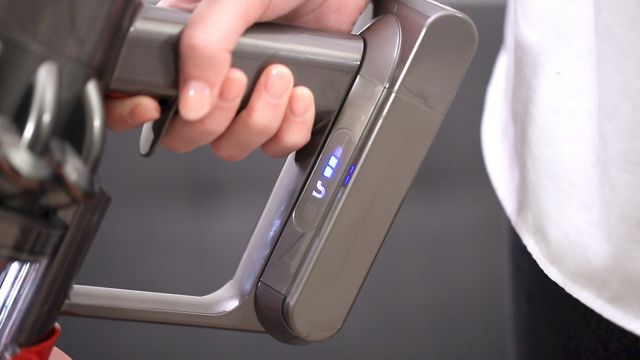
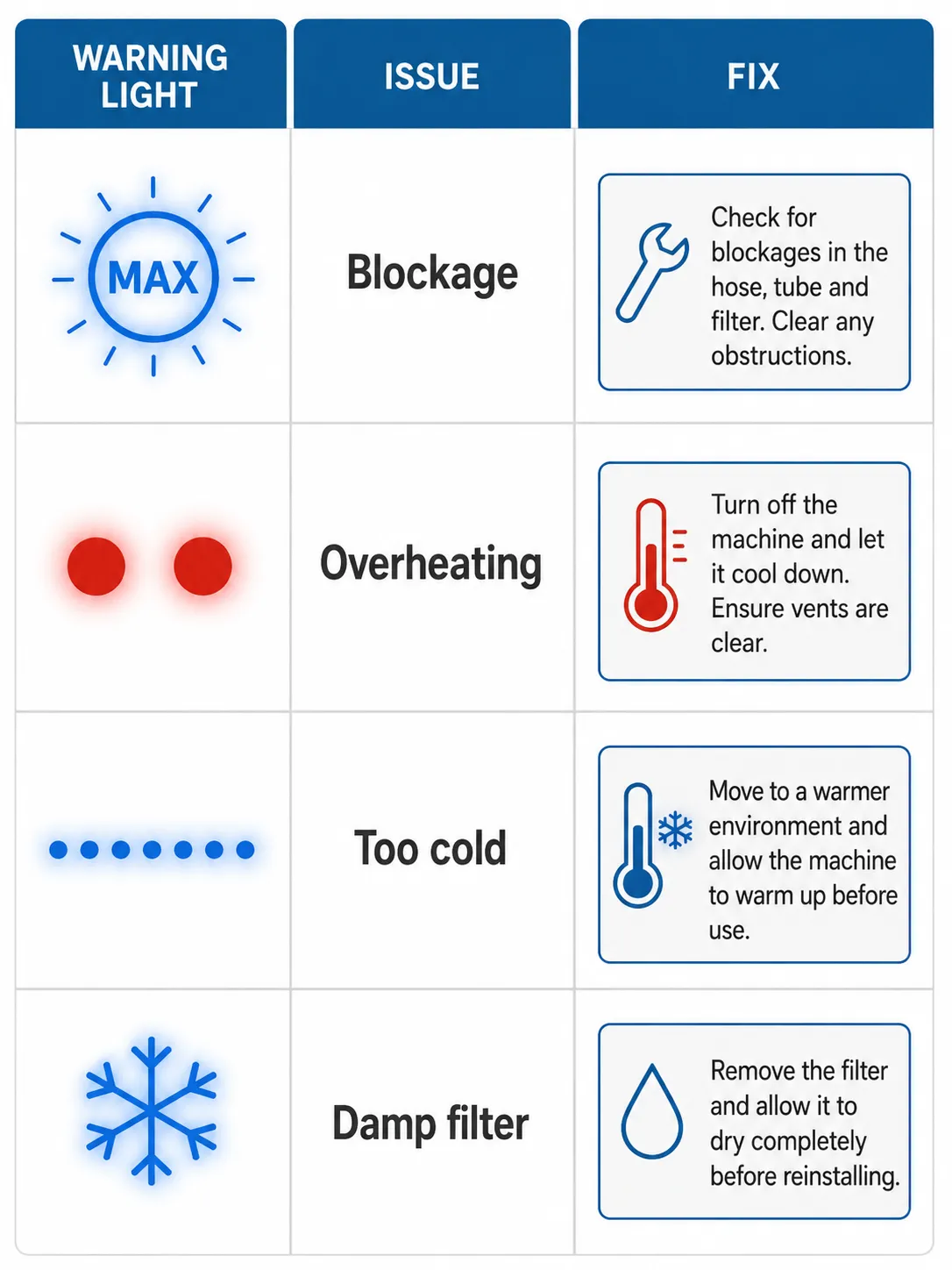
Your Dyson’s charging light is the first clue to what’s wrong. Don’t ignore it—each flash pattern tells a story:
- Flashing blue light: Battery is actively charging
- Single blue flash, then off: Fully charged and ready
- No light at all: No power connection—check outlet, charger, or port
- Red or amber light: Fault detected (overheating, motor strain, or battery failure)
If all lights blink briefly when plugged in, then go dark, the battery may be in protection mode. This often happens after deep discharge or overheating. It’s not dead—just asleep.
⚠️ Never jump straight to buying a new battery. First, verify the outlet, test the charger, and inspect for clogs. Many “dead” Dysons come back to life with a simple reset.
Perform the 20-Second Battery Reset
How to Wake a Sleeping Dyson Battery
This undocumented but highly effective fix has revived thousands of Dysons. It resets the battery management system, which can shut down during deep discharge or thermal stress.
Step-by-step:
- Unplug the charger from the wall
- Plug it back in
- Connect it directly to the vacuum (bypass the dock)
- Hold the trigger for 20 seconds—even if nothing happens
- Release, unplug, and test
✅ Pro Tip: Make sure the vacuum is not in Max mode before starting. Some models won’t reset if set to high power.
Why it works: The battery’s safety chip cuts power when voltage drops too low. Holding the trigger forces a system reboot, reactivating the circuit.
📌 User Success: “Fixed my DC58 that died after 5 seconds. I cleaned it first, then did this reset. Works perfectly now.” – maz75
❌ If it fails: The battery may be too degraded, or another issue (like a blockage) is preventing recovery.
Try the 10-Second Soft Reboot for Stubborn Units
Quick Reset Without Full Charging
If the 20-second method doesn’t work, try this faster alternative:
- Disconnect the charger
- Press and hold the trigger for 10 seconds
- Release, reconnect the charger
- Let it charge fully (up to 4.5 hours)
- Test on max power
This clears temporary electronic glitches without requiring a full charge cycle first.
✅ Best for: Vacuums that show brief signs of life but won’t sustain power.
Clear All Blockages That Mimic Battery Failure

Clean the Hose, Filter, and Brush Head Thoroughly
A clogged hose or dirty filter can cause your Dyson to shut off—fooling you into thinking the battery is dead. The motor overheats, triggering safety cutoffs that interrupt charging and operation.
Check these common clog sites:
• Brush head (hair wrapped around roller)
• Hose (fluff stuck near base)
• Stick/tube (debris lodged mid-way)
• Filter (dusty HEPA element)
• Vents (blocked airflow)
Cleaning steps:
- Turn off and unplug
- Remove brush head—twist grey button 1/4 turn to unlock
- Clear all hair and debris
- Detach hose and inspect for clogs
- Remove and rinse filter (let dry 24 hours)
- Wipe vents and reassemble
📌 Real User Fix: “Charged fine after I cleared a clog near the brush head. Thought it was the battery!” – mickcayo
✅ Pro Tip: Watch a YouTube cleaning tutorial for your model. Many users say thorough cleaning alone solved their charging issue.
Fix a Seized Brush Motor That Drains Power
Clean and Lubricate the Roller Bearings
If the motor in the brush head is seized, it draws excess power, causing the vacuum to cut out after seconds—even with a healthy battery.
How to fix it:
- Disassemble the brush head
- Remove all hair and debris from motor shaft
- Apply lanolin oil (not mineral oil) to both ends of the motor bearings and brush ends
- Reassemble and test
📌 Why lanolin? It lubricates without attracting dust—unlike petroleum-based oils.
📌 User Result: “No new battery needed. Just cleaned and oiled. Voila!” – Alex
Test the Charger and Power Source
Rule Out Faulty Outlets and Damaged Cables
Before blaming the battery, confirm the charger works.
Steps:
• Try a different outlet—some wall sockets fail intermittently
• Plug charger directly into vacuum—bypass the charging dock
• Look for physical damage—frayed wires, bent pins, or burn marks
• Check the fuse in the plug (for UK/Ireland models)
⚠️ Never use a damaged charger. It can overheat or prevent charging entirely.
Direct Charging Test:
- Remove vacuum from dock
- Connect charger straight to body
- Confirm blue light appears
- Charge for 4.5 hours (some models take longer)
- Test on max
✅ This bypasses faulty dock contacts—a common hidden issue.
Fix Poor Charging Port Contact
Use the Partial Insertion Trick
Some users report the charger only works when not fully inserted.
“On my Dyson, charging failed when the connector was pushed all the way in. Backing it out slightly made it work.” – Jane ElecEng
What to do:
• Insert the charger, then gently pull it back 1–2 mm
• Tape it in place if needed (use non-conductive tape)
• Monitor for heat or sparking—stop if unsafe
This suggests poor contact alignment or debris in the port.
Clean the port:
• Use a dry cotton swab or soft brush
• Remove lint, dust, or insulation material
• Avoid metal tools—risk of shorting
Clean the Battery Contacts Before Replacement
Restore Connection Without Spending Money
Corroded or dirty battery contacts prevent charging—even with a good battery.
Steps:
- Remove the battery (see replacement guide below)
- Inspect metal contacts on battery and inside compartment
- Gently clean with a dry cloth or pencil eraser
- Reinsert and test
📌 User Result: “Cleaned the contacts—fixed the charging issue completely.” – Karen
✅ Do this before buying a new battery. It’s free and often effective.
Replace the Battery When It’s Truly Dead
Step-by-Step Guide for V6, V7, and DC58 Models
Dyson batteries last 3–4 years on average. After that, they lose capacity and can’t deliver the high current needed for max suction.
Signs it’s time:
• Runs 20–60 seconds, then dies
• Needs constant recharging
• Fully charged but shows low runtime
• Second battery also failed (possible compatibility issue)
Replacement steps:
- Flip vacuum over—find barcode with model code (e.g., SV11 = V7)
- Remove screws:
• One at back of handle
• Two at bottom (open dust bin to access) - Lift old battery out—wiggle gently from sides
- Insert new battery—align and press down
- Reattach screws and test
✅ Pro Tips:
• Use a complete kit (battery + filters + screwdriver)
• Clean compartment before installing
• Charge fully before first use⚠️ Avoid third-party batteries unless model-specific. Some users report V6 Motorhead vs. Animal incompatibility.
Recalibrate the Battery Power Gauge
Reset the Runtime Display After Charging
If your Dyson shows “100%” but dies in seconds, the battery monitor is miscalibrated.
Recalibration steps:
- Charge fully (up to 4.5 hours)
- Use until it shuts off completely
- Charge again to full
- Repeat up to 5 cycles for best accuracy
✅ Dyson recommends this for accurate run time display.
Diagnose Overheating That Blocks Charging
Let It Cool and Restore Airflow
Overheating triggers automatic shutdowns and charging blocks.
Causes:
• Dirty filter
• Blocked hose
• Prolonged max-power use
Fix:
- Turn off and let cool for 30+ minutes
- Clean filter and vents
- Clear all blockages
- Recharge and test
⚠️ Max mode only lasts ~6 minutes—this is normal, not a defect.
Follow This Step-by-Step Diagnostic Flow
Fast Troubleshooting Order (Most to Least Likely)
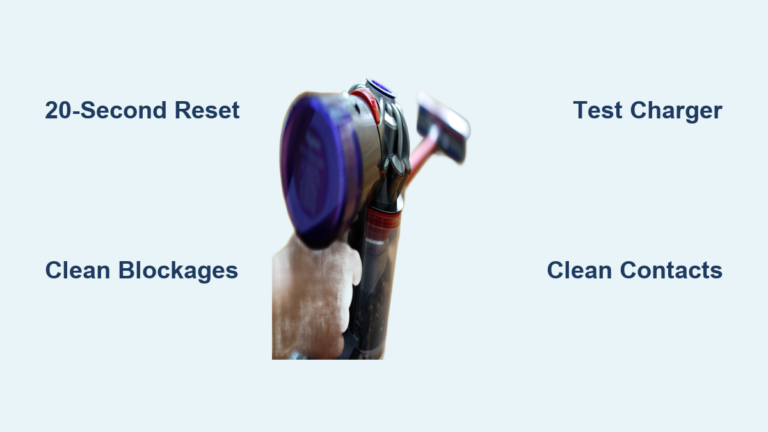
- Reset battery (20-second trigger hold)
- Clean all components (filter, hose, brush)
- Check for blockages (especially in stick/hose)
- Test without attachments
- Inspect charger and outlet
- Clean battery contacts
- Try direct charging (no dock)
- Oil brush motor bearings
- Replace battery (if over 3 years old)
- Contact Dyson Support
✅ 80% of cases are resolved in steps 1–5.
Avoid Third-Party Battery Failures
Match the Model Code Before Buying
Not all “universal” Dyson batteries fit all models.
Known issues:
• V6 Motorhead vs. V6 Animal require different batteries
• Amazon replacements sometimes fail to charge
• Some users report second batteries failing within months
📌 User Report: “Replaced battery, but it won’t charge. Not from Dyson.” – Cindy
✅ Always match the model code (e.g., SV11) before buying.
Contact Dyson Support When All Else Fails
Get Help from the Official Team
If all else fails:
• Email: askdysonUS@dyson.com (US) or askdyson@dyson.ie (Ireland)
• Phone: 01-475-7109 (Ireland)
• Include: Serial number, issue description, contact info
📌 Note: Dyson’s official troubleshooter may suggest a new charger—but cleaning contacts often fixes the real issue.
Frequently Asked Questions About Dyson Not Charging
Why does my Dyson show no lights when I plug it in?
Check the outlet, charger, and charging port. Try a different outlet and connect the charger directly to the vacuum. If still no light, clean the battery contacts or perform a 20-second reset.
Can a clogged hose cause charging problems?
Yes. A blocked hose causes overheating, which triggers safety cutoffs that prevent charging. Clean the hose, filter, and brush head before assuming battery failure.
How do I know if my Dyson battery is dead?
If it runs for less than a minute on max power, won’t hold a charge, or dies immediately after unplugging, the battery may be failing. Try a reset and cleaning first—many “dead” batteries come back.
Does the 20-second trigger hold really work?
Yes—thousands of users confirm it. It resets the battery management system after deep discharge. Works best on V6, V7, and DC58 models.
Why won’t my third-party battery charge?
Many aftermarket batteries aren’t model-specific. V6 Motorhead and V6 Animal, for example, need different batteries. Always match the model code (e.g., SV11) and buy from reputable sellers.
How long should a Dyson battery last?
3–4 years on average. Even lightly used batteries degrade over time. If yours is older, replacement is likely needed—but try cleaning and resetting first.
Key Takeaways for Fixing Dyson Not Charging
• The 20-second trigger hold is the #1 fix—thousands of users confirm it works
• Blockages mimic battery failure—always clean first
• Max mode lasts ~6 minutes—this is normal
• Battery lifespan is 3–4 years—replace if older
• Third-party batteries may not work—check model compatibility
• Cleaning and resetting often beat replacement
Your Dyson isn’t dead. It’s just stuck. With these steps, you can bring it back to life—fast, free, and without frustration.
🔧 Now go fix it. Start with the reset. Then clean. Then test. Most users have their vacuum running again within an hour.